
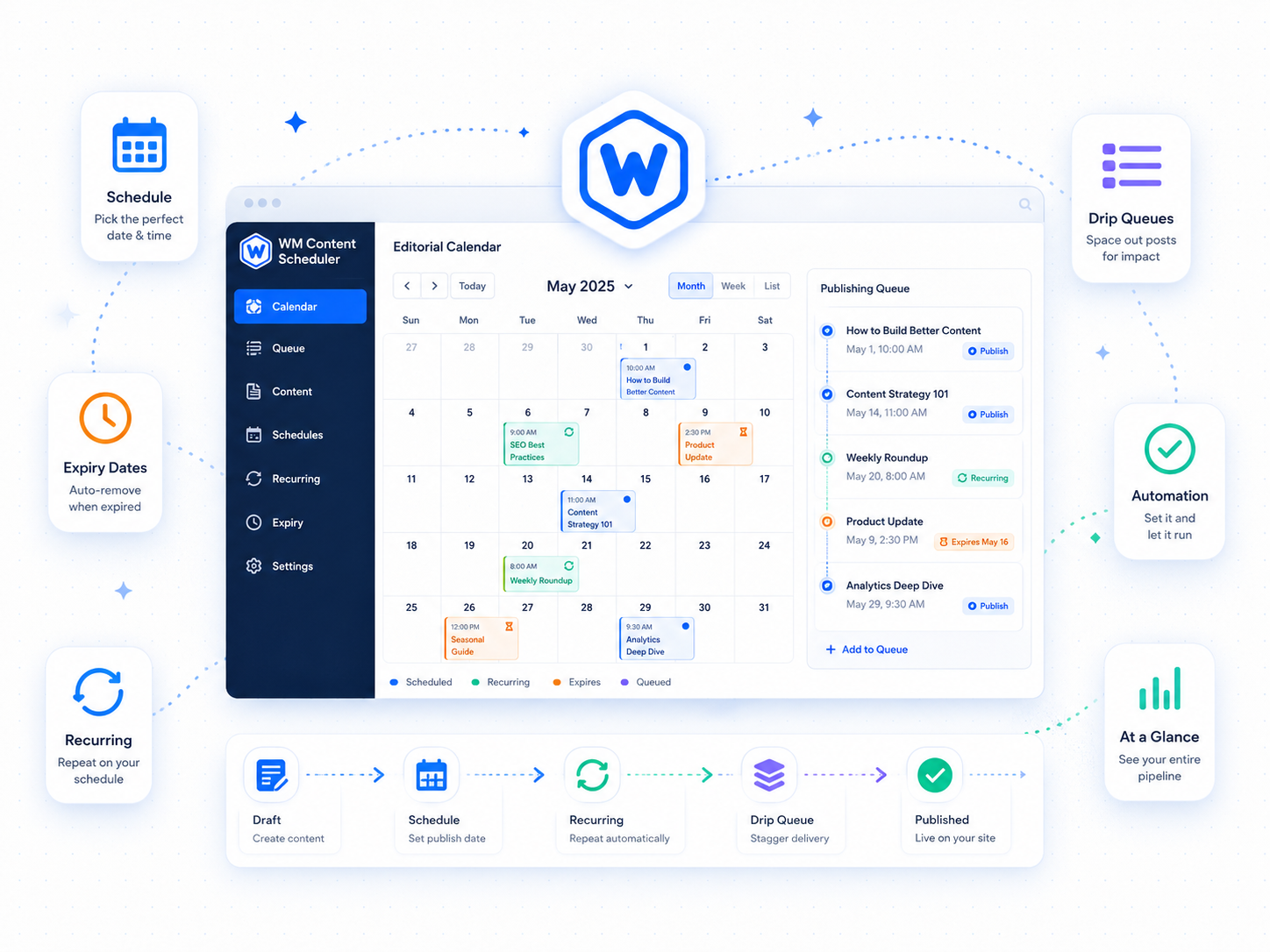
WordPress’s built-in scheduler is a single date field. It publishes a post once and never touches it again. Wordimatic Content Scheduler fills the gap between that and a full editorial platform — adding expiry, recurrence, drip queues, and a calendar view that lets teams see the publication pipeline at a glance.
Every post and page gets a scheduling meta box with two additions: an expiry date (configurable to revert to draft, move to trash, or delete permanently when reached) and a recurring rule that republishes on a weekly, monthly, or custom interval. All dates are shown in your configured time zone, eliminating the UTC arithmetic that trips up editorial teams on distributed sites. The REST API and WP-CLI receive UTC as expected.
The visual calendar in wp-admin is the feature content teams reach for daily. Scheduled posts, published dates, and upcoming expirations are all visible on the same grid, and posts can be rescheduled by dragging them to a new date — no editor required. The drip queue feature extends this further: create an ordered list of content items and the plugin publishes the next one on each trigger, making newsletter series and course drip sequences manageable without a dedicated email marketing tool.
Three steps to up and running
Set expiry or recurrence
In the post editor, a meta box lets you set an expiry date (after which the post reverts to draft or is deleted) or a recurring publish rule (every week, month, or custom interval).
Time-zone-aware scheduling
All dates are stored and displayed in the editor's configured time zone. WP-CLI and REST API consumers receive UTC; the UI always shows local time.
Visual calendar
A calendar view in wp-admin shows all scheduled, published, and expiring content at a glance. Drag posts between dates to reschedule without opening each editor.
What's included
Who it's for
- Run seasonal campaigns that automatically unpublish when the promotion ends.
- Maintain a weekly newsletter or blog series without manually publishing each entry.
- Give content teams a visual overview of the publication pipeline.
Technical requirements
Version history
- — Drag-and-drop rescheduling in calendar view
- — Fixed recurring rule edge case on months with fewer than 31 days
- — Drip queue feature added
- — Time-zone display fix for UTC-offset sites