
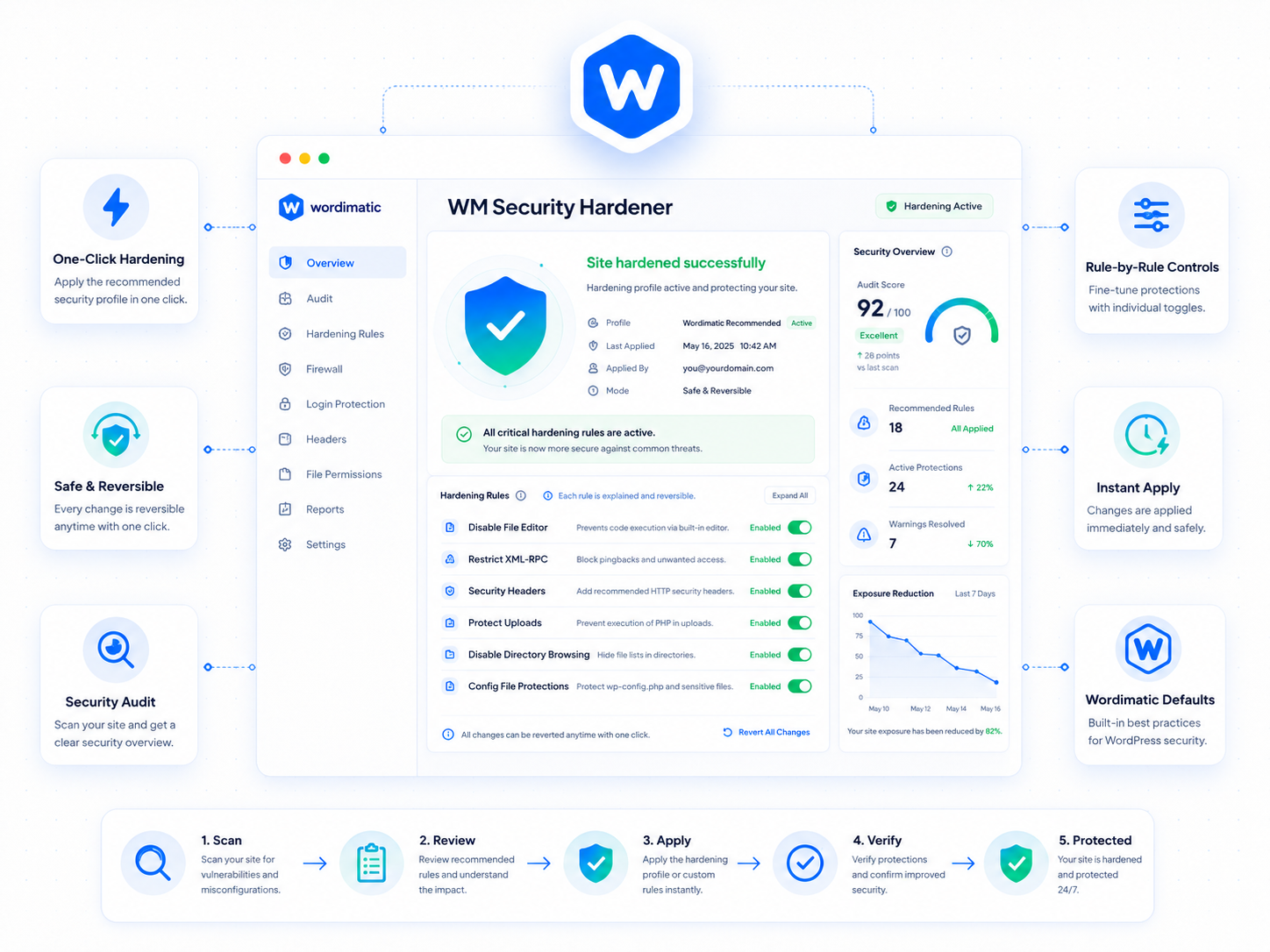
Most WordPress security guides recommend a list of 15 things to do manually across your server config, wp-config.php, and theme files. Wordimatic Security Hardener turns that list into a single admin screen where each rule is a toggle — applied immediately, reversible at any time, and annotated with exactly what it does and why.
On first activation the plugin audits your current configuration against a curated hardening checklist and surfaces any gaps with a severity rating. From there you can apply rules individually or all at once. The rule set covers the most impactful changes: disabling XML-RPC (with a warning if the plugin detects active consumers like Jetpack), restricting REST API access to authenticated users, adding the full suite of recommended security headers including a configurable Content-Security-Policy, and scrubbing the WordPress version from page output and feeds.
Authentication event logging runs continuously in the background. Every login, logout, failed attempt, and password reset is recorded with IP address, user agent, and timestamp in a dedicated database table — not the options table — with a configurable retention window. The 3.0 rewrite added a CSP builder UI and per-endpoint REST API allow rules, making it practical to harden sites that have legitimate external API consumers without blocking them entirely.
Three steps to up and running
Audit on activation
On first activation, the plugin audits your current WordPress configuration against its hardening checklist and flags any issues with a severity rating.
One-click apply
Each hardening rule can be applied individually or all at once. Rules are reversible: disabling a rule restores the previous behavior.
Continuous monitoring
Authentication events (login, logout, failed attempts, password resets) are logged with IP, user agent, and timestamp. Alerts are sent on unusual activity patterns.
What's included
Who it's for
- Harden a fresh WordPress install to a production-ready security baseline in under five minutes.
- Audit an inherited site and get a clear list of security gaps without manual inspection.
- Meet client security requirements without installing three separate plugins.
Technical requirements
Version history
- — Content-Security-Policy builder UI added
- — REST API access control now supports per-endpoint allow rules
- — Full rewrite for WordPress 6.5 compatibility
- — New auth event logging system
- — Security headers now individually toggleable