
WordPress Resources
In-depth guides, tutorials, and practical advice on WordPress performance, security, plugin development, and site operations — written by engineers who manage WordPress sites every day.
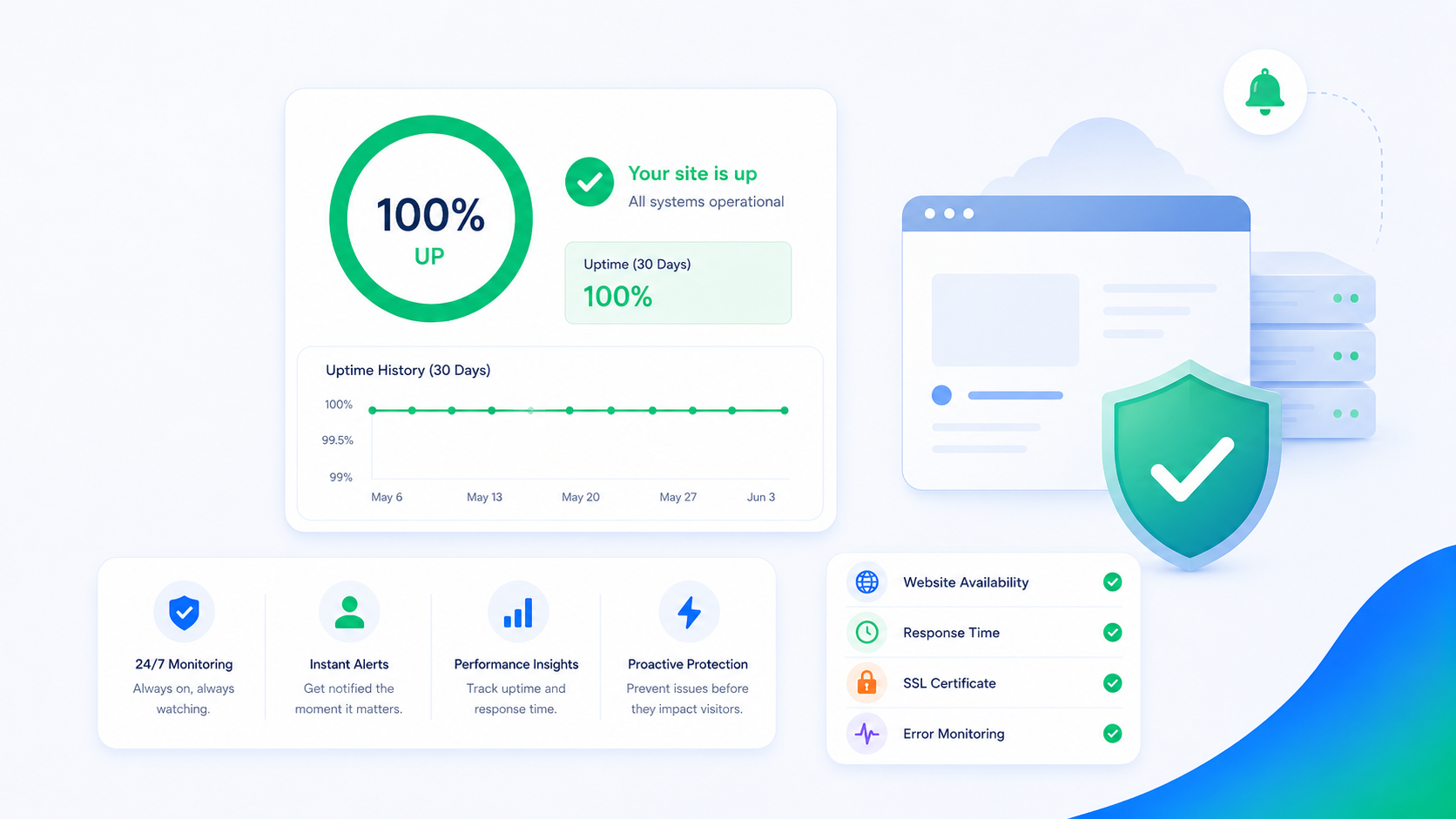
WordPress Uptime Monitoring: What to Watch and Why
Knowing your site is down before your customers do requires monitoring beyond a basic ping check. Here's what to monitor, which tools to use, and how to set up alerting.
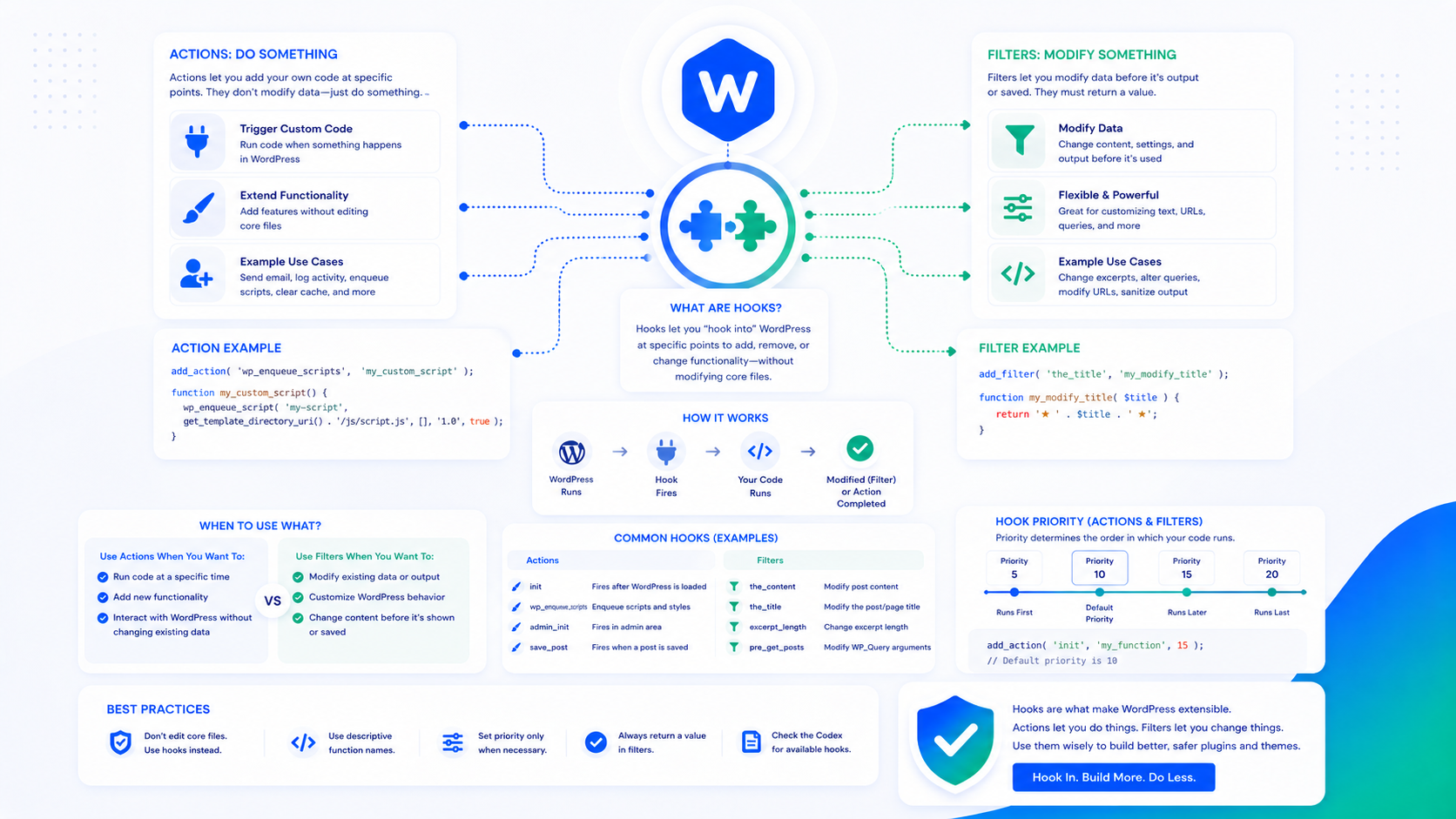
WordPress Hooks and Filters: A Plain-English Guide for Developers
Actions and filters are how WordPress lets you modify behavior without editing core files. Here's how they work, when to use each, and how to write them correctly.
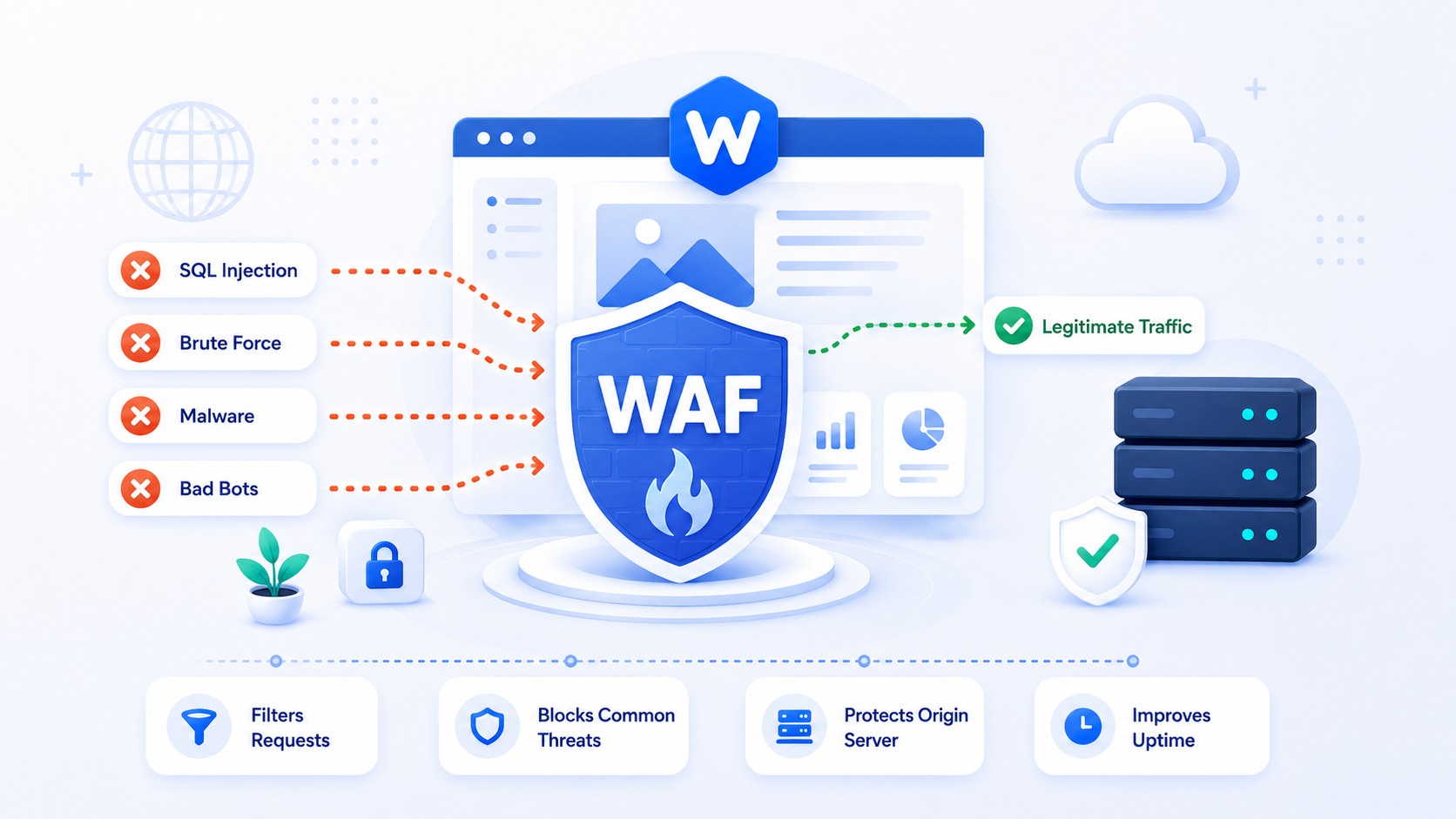
WordPress Web Application Firewall (WAF): Do You Need One?
A WAF blocks malicious requests before they reach WordPress. Here's what WAFs actually protect against, which options make sense for WordPress, and how to configure them.
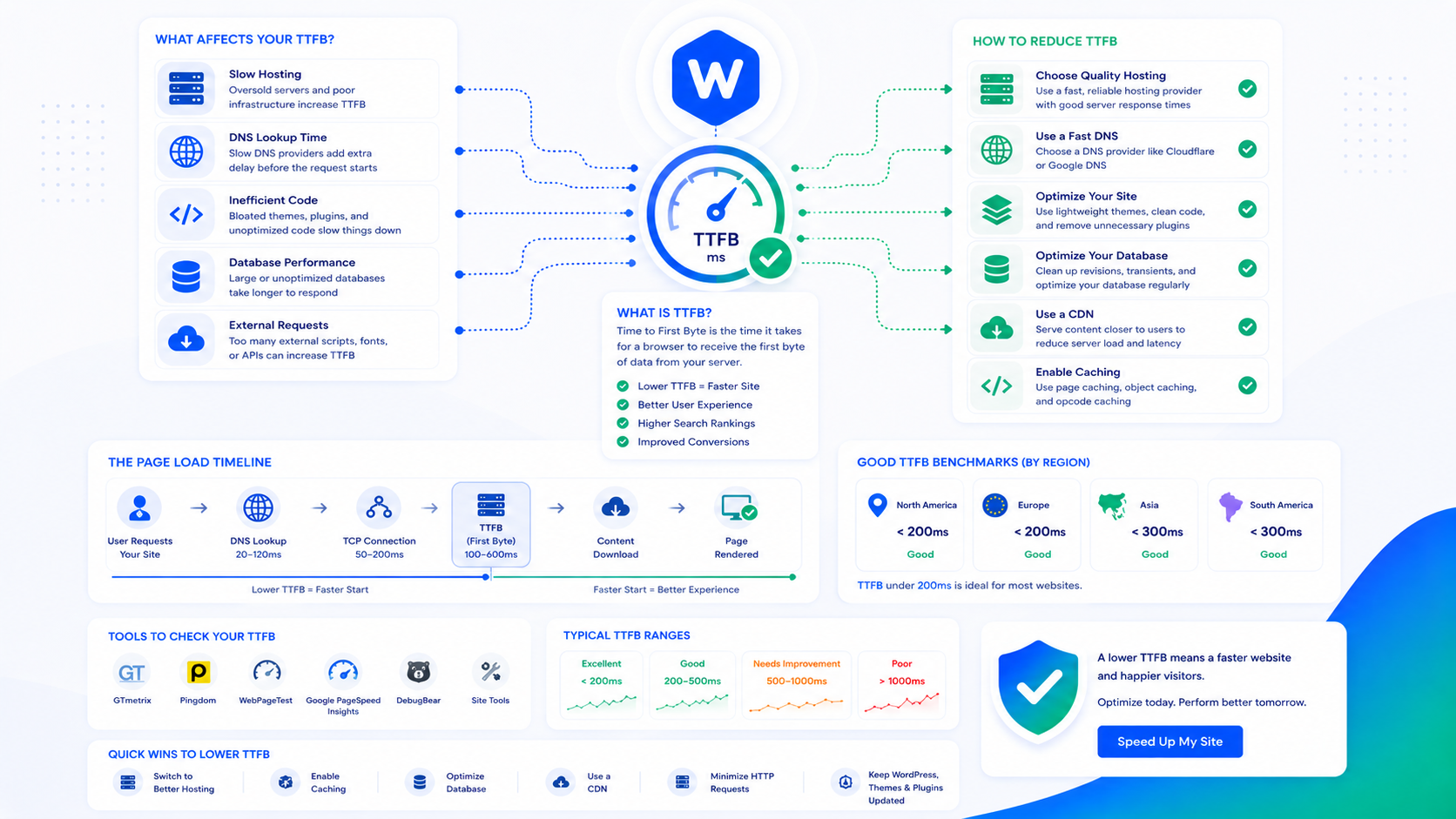
How to Reduce TTFB on WordPress (Time to First Byte)
TTFB is the upstream dependency for every other performance metric. If it's slow, nothing else you do to WordPress will fix your load time. Here's what causes it and how to fix it.
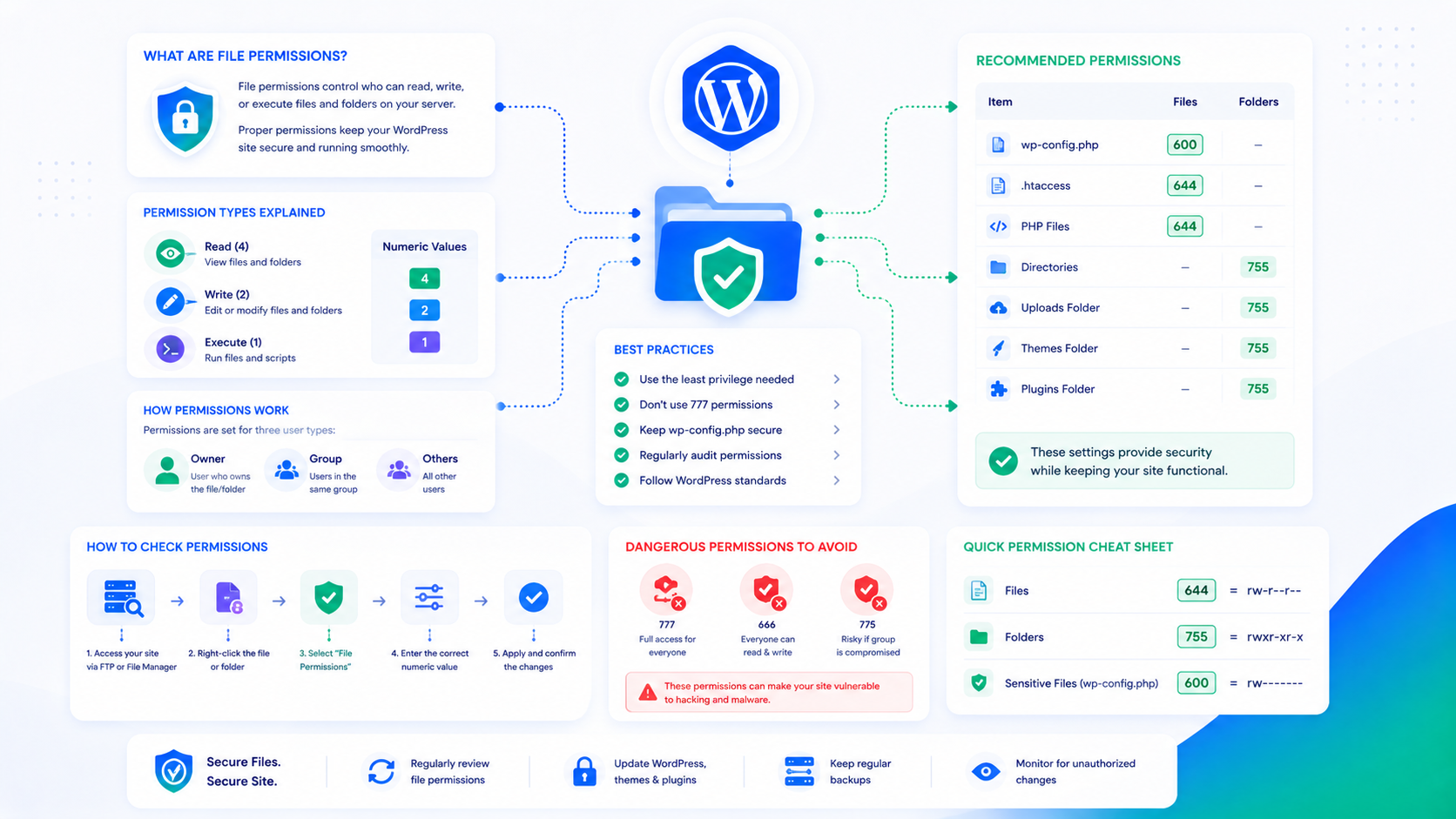
WordPress File Permissions: The Correct Setup Explained
Wrong file permissions are both a security vulnerability and a source of WordPress errors. Here's the correct chmod setup for files, directories, and wp-config.php.
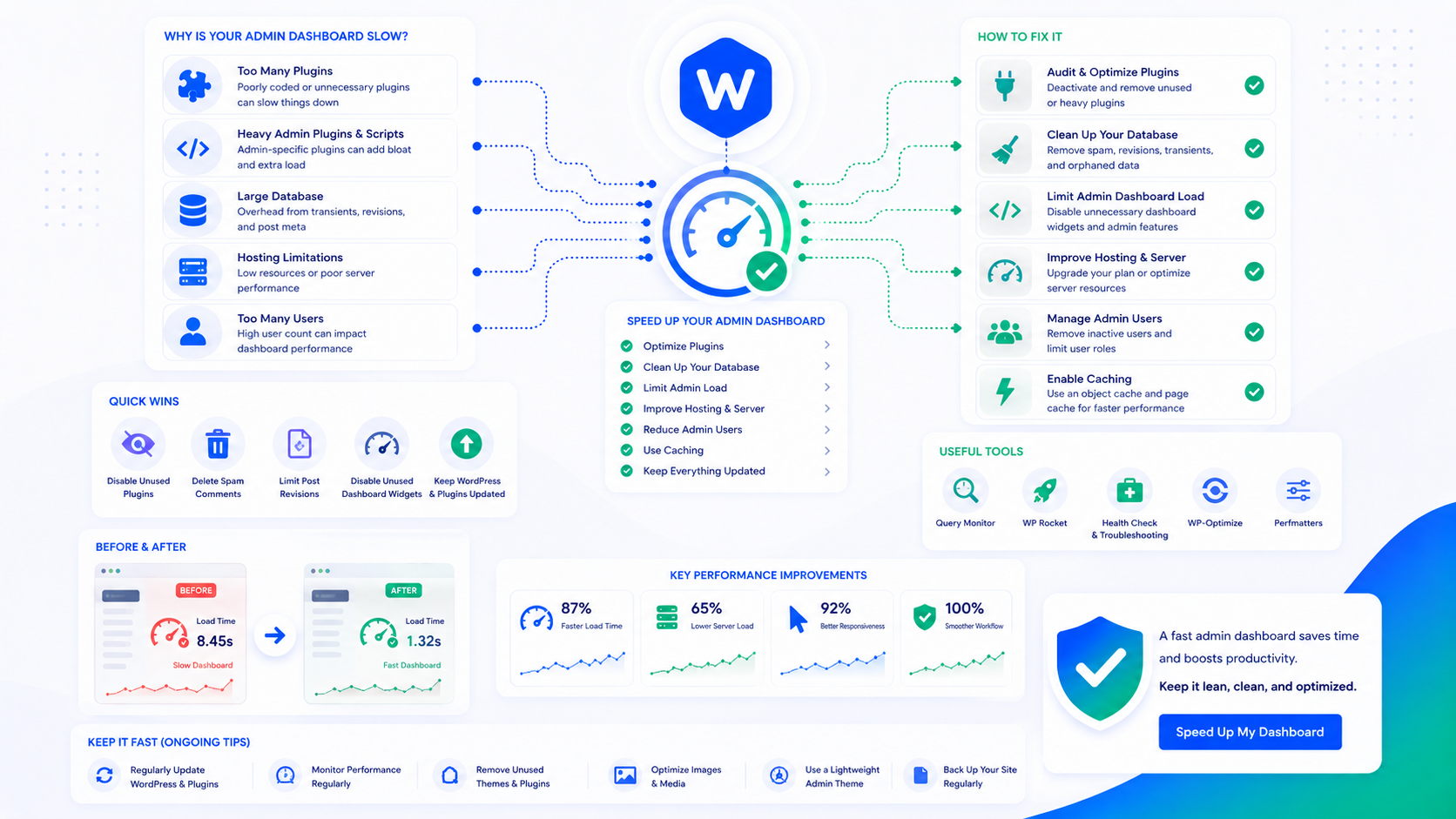
How to Fix a Slow WordPress Admin Dashboard
A slow WordPress admin dashboard is usually caused by one of four things: the Heartbeat API, WP-Cron bloat, plugin conflicts, or server resource limits. Here's how to diagnose and fix each one.
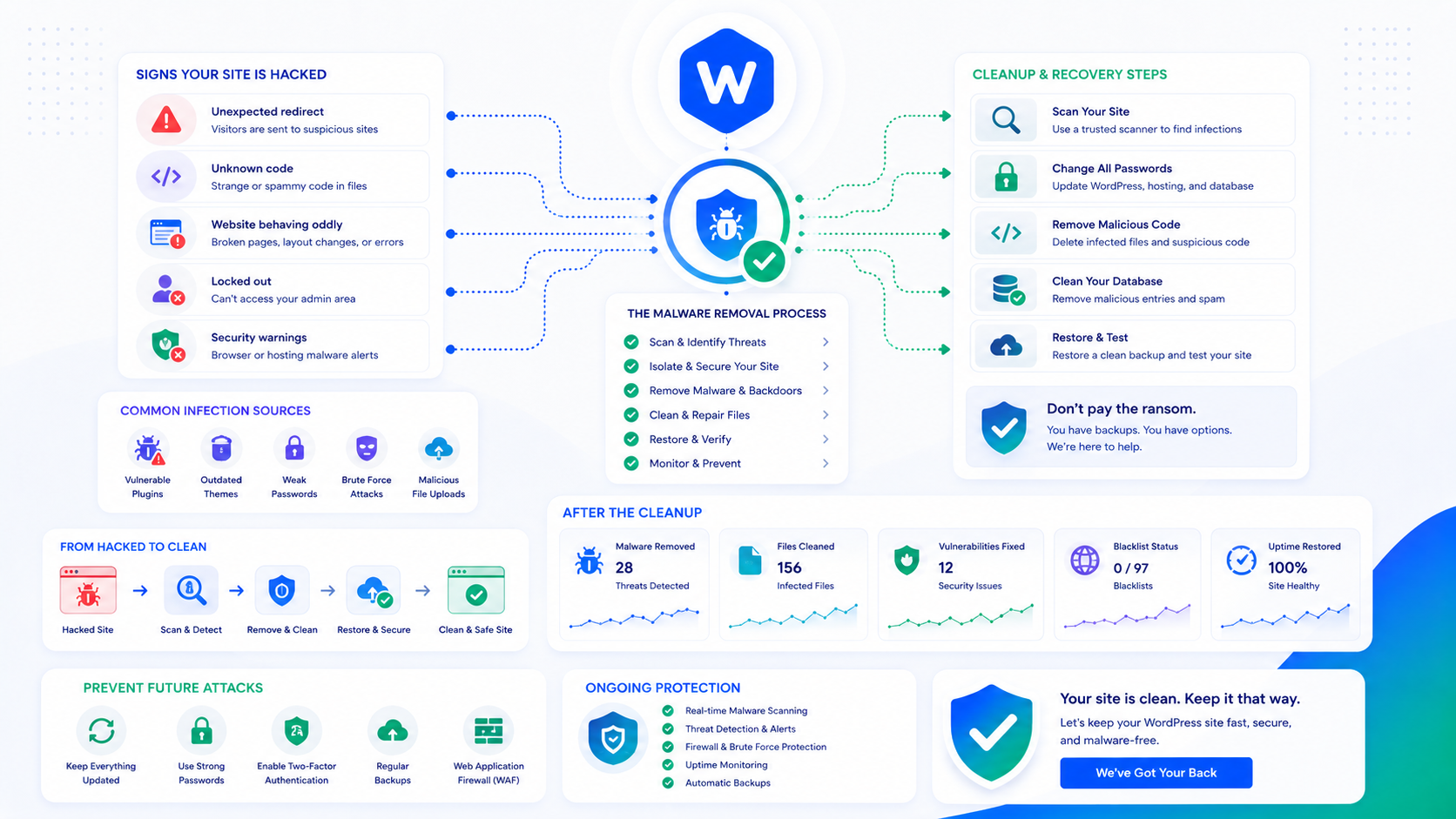
WordPress Malware Removal: What to Do After Your Site Is Hacked
A step-by-step guide to identifying, removing, and recovering from WordPress malware — and closing the vulnerability so it doesn't happen again.
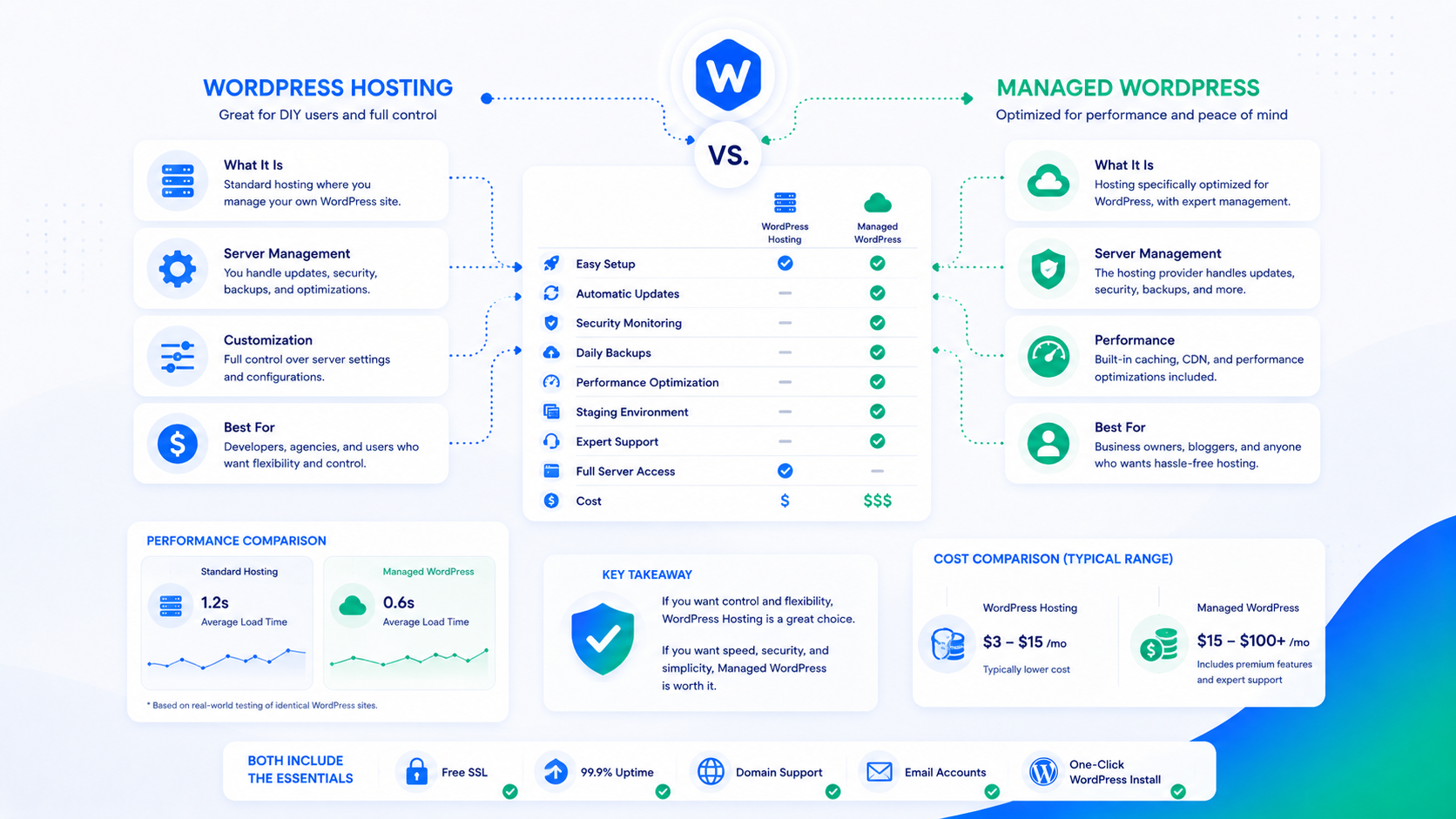
WordPress Hosting vs. Managed WordPress: What's the Difference?
WordPress hosting and managed WordPress aren't the same thing. Here's a clear comparison of what each includes, what it costs, and which one you actually need.
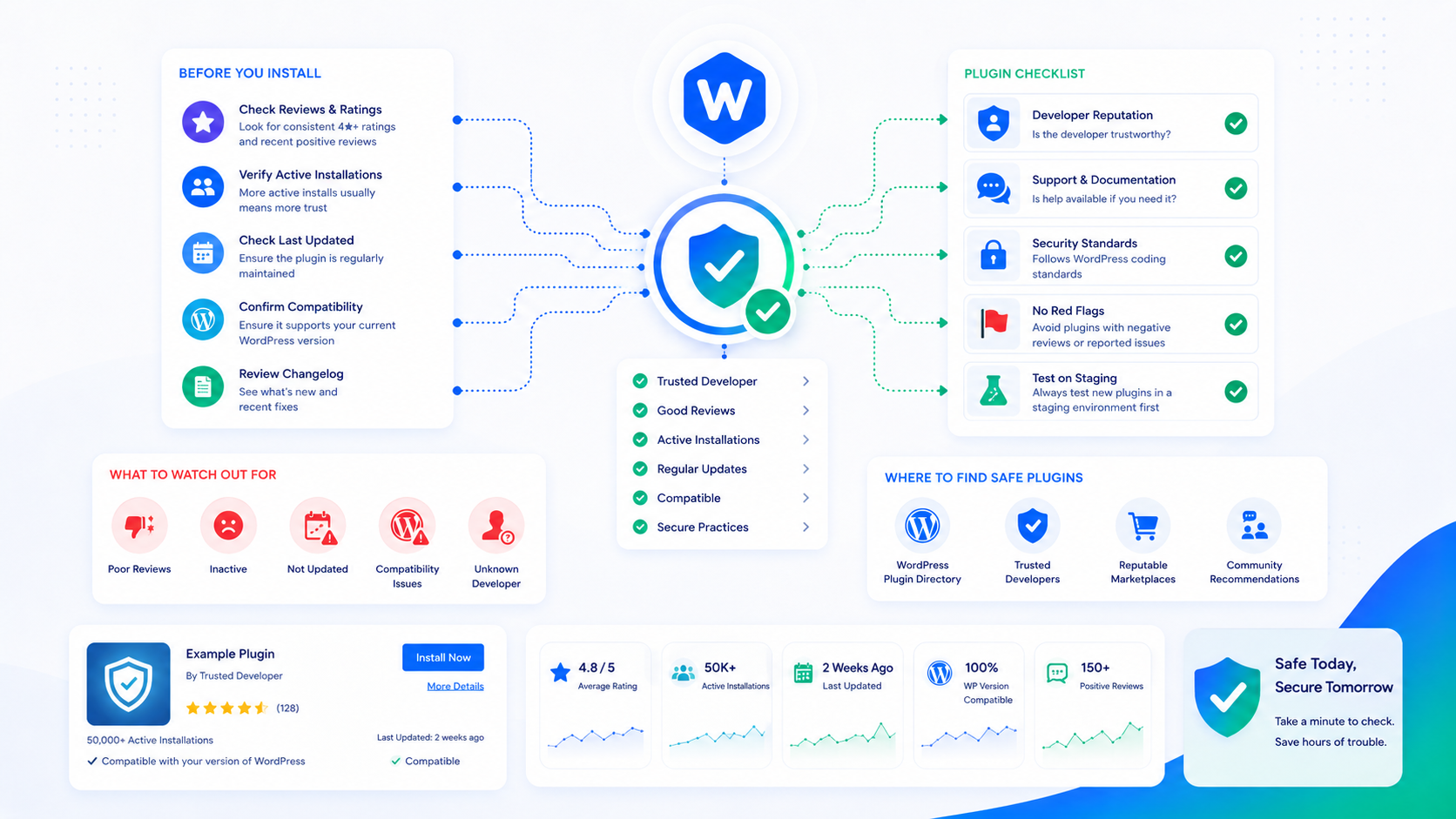
How to Tell If a WordPress Plugin Is Safe to Install
Not every WordPress plugin is safe. Use this checklist to vet a plugin's security, maintenance, and quality before you install it on a live site.
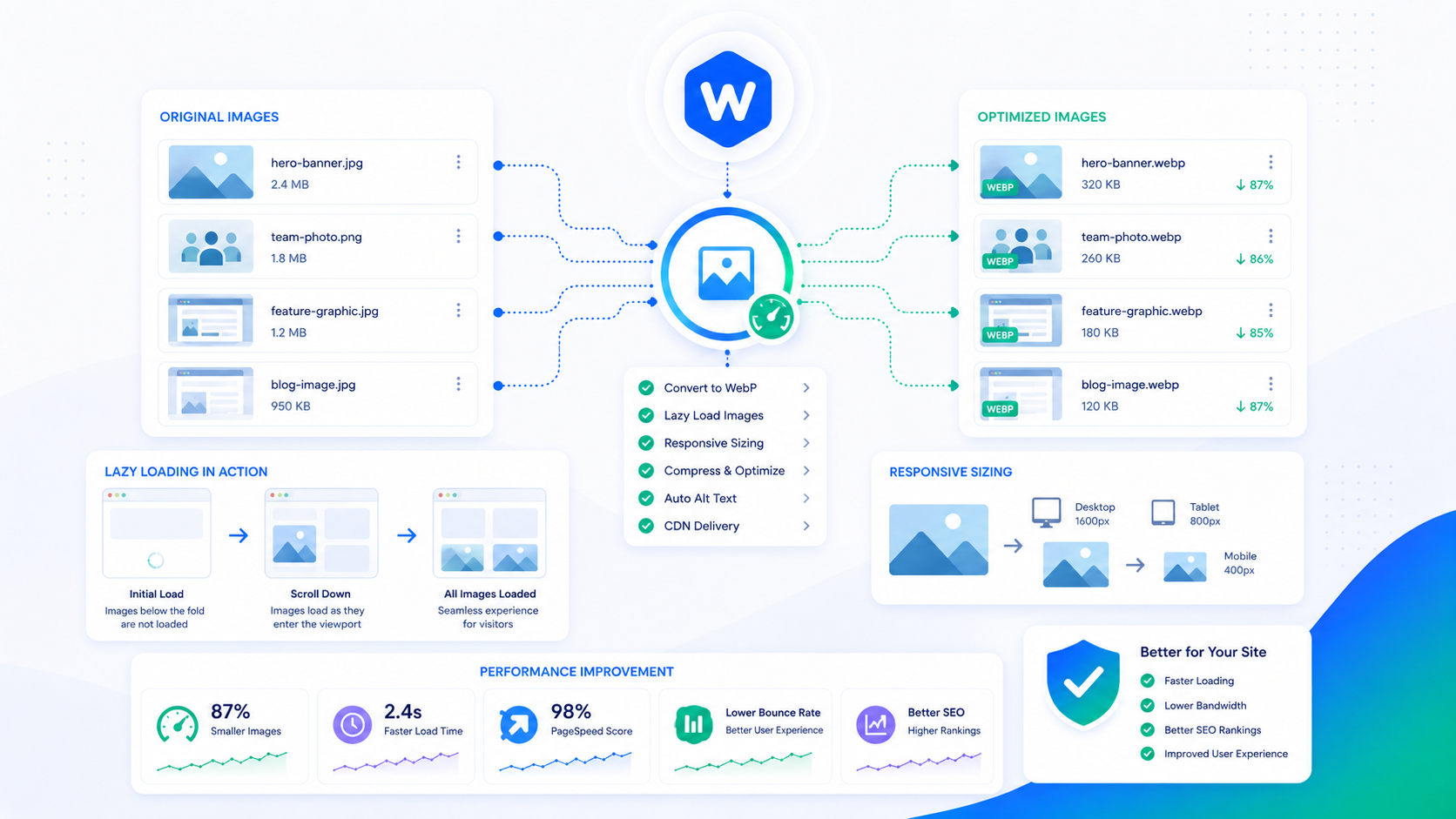
Image Optimization for WordPress: WebP, Lazy Loading & Sizing
Images are usually the heaviest thing on a WordPress page. Learn how WebP, correct sizing, and lazy loading dramatically cut load times without losing quality.
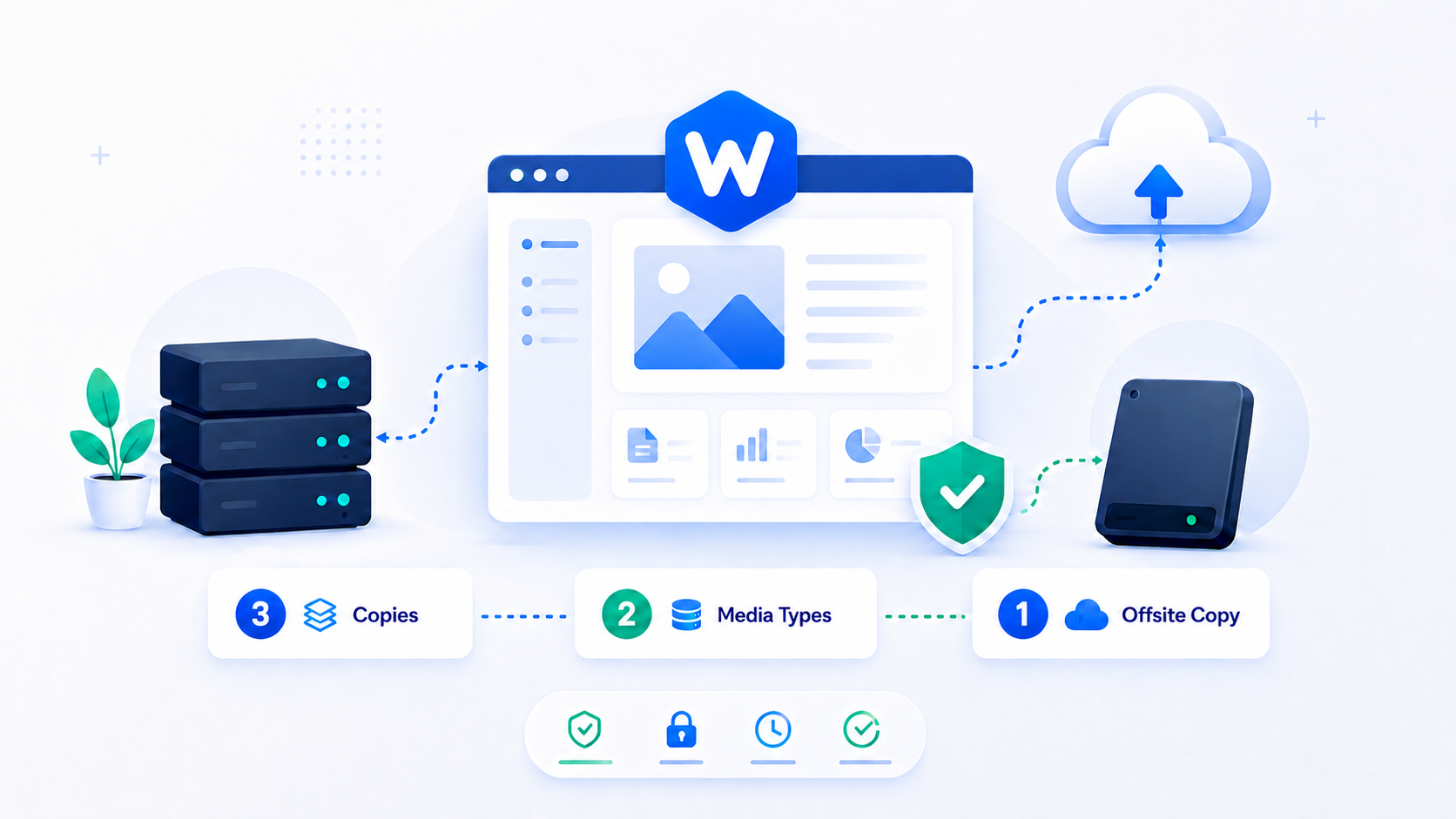
WordPress Backup Strategy: 3-2-1 for Site Owners
A reliable WordPress backup strategy using the 3-2-1 rule — what to back up, how often, where to store it, and how to actually test your restores.
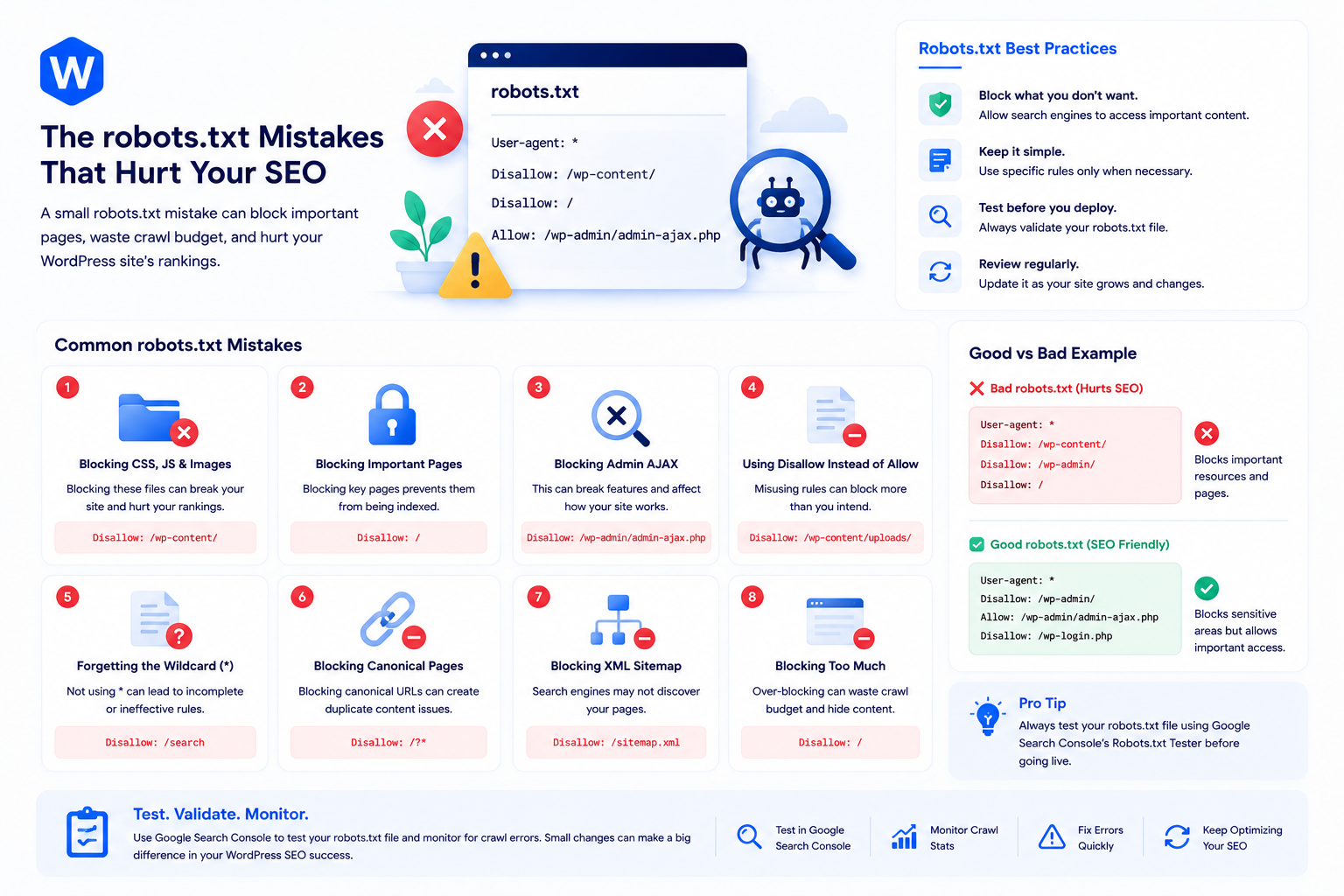
The robots.txt Mistakes That Hurt WordPress SEO
A misconfigured robots.txt can quietly deindex your WordPress site. Here are the most common robots.txt mistakes and how to get yours right.
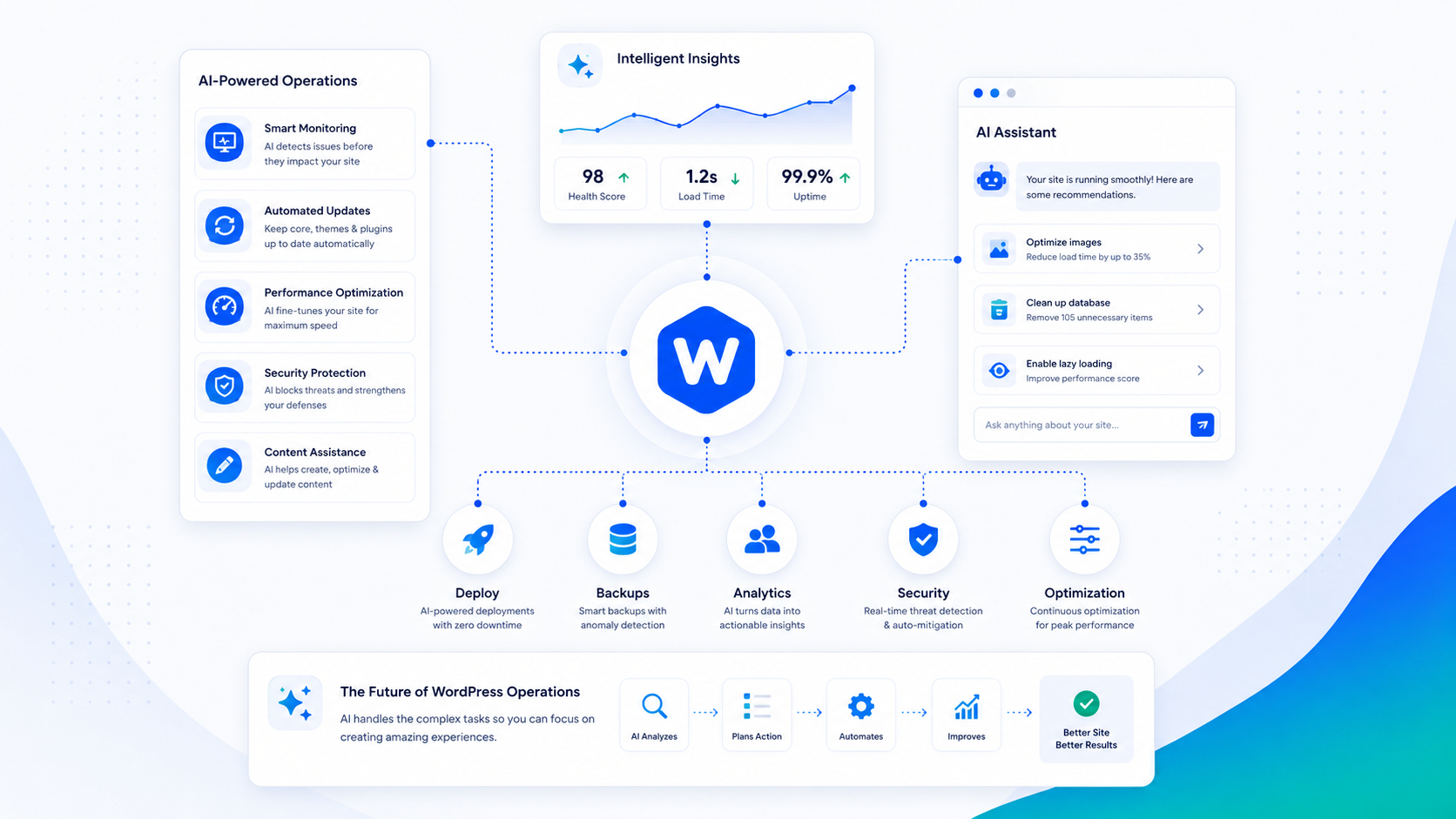
How AI Is Changing WordPress Site Operations
AI is reshaping how WordPress sites are monitored, maintained, and supported. Here's what's real, what's hype, and where it genuinely saves time today.
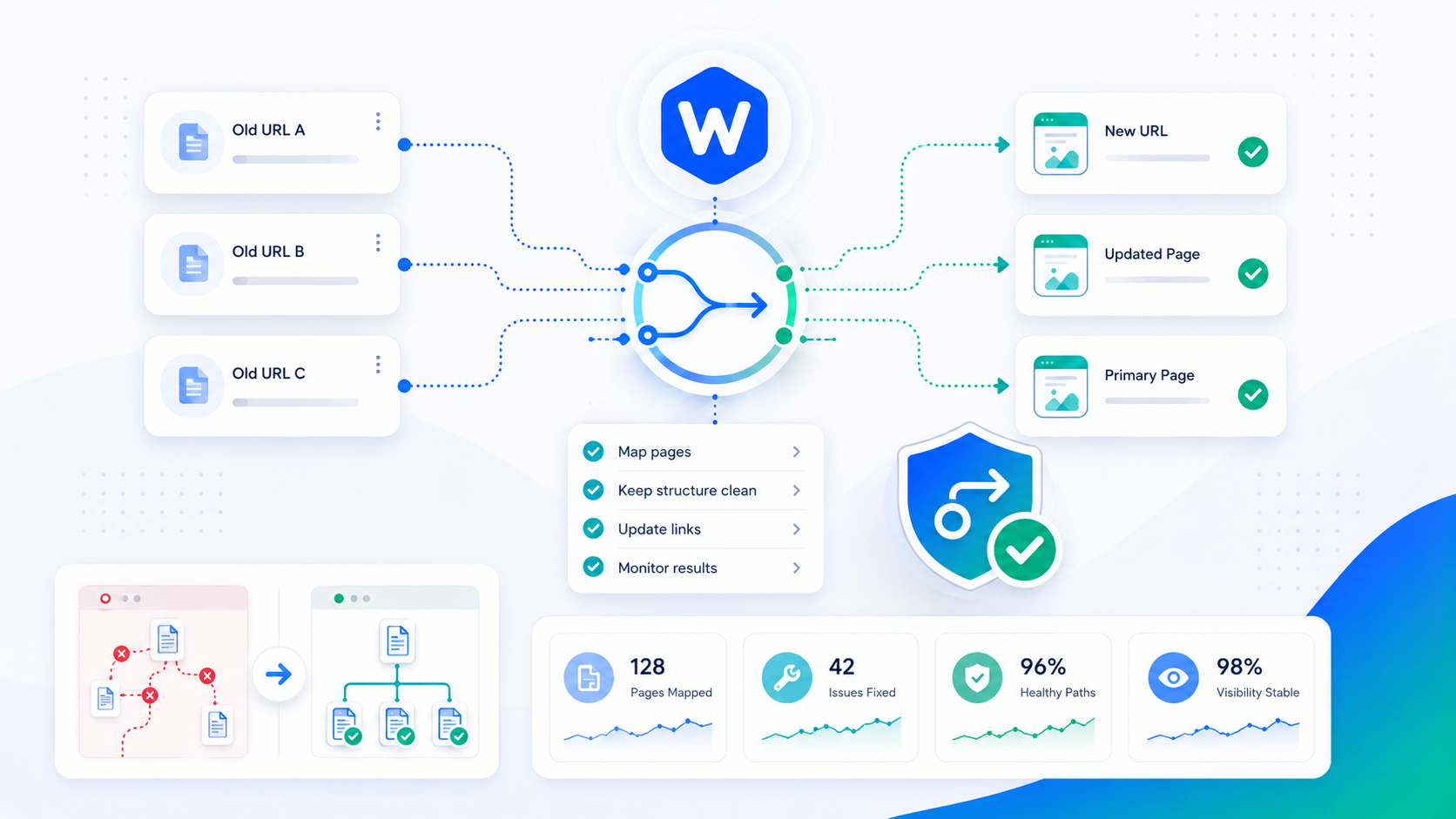
How to Set Up 301 Redirects in WordPress Without Breaking SEO
A step-by-step guide to 301 redirects in WordPress — when to use them, how to set them up correctly, and the mistakes that quietly destroy your rankings.
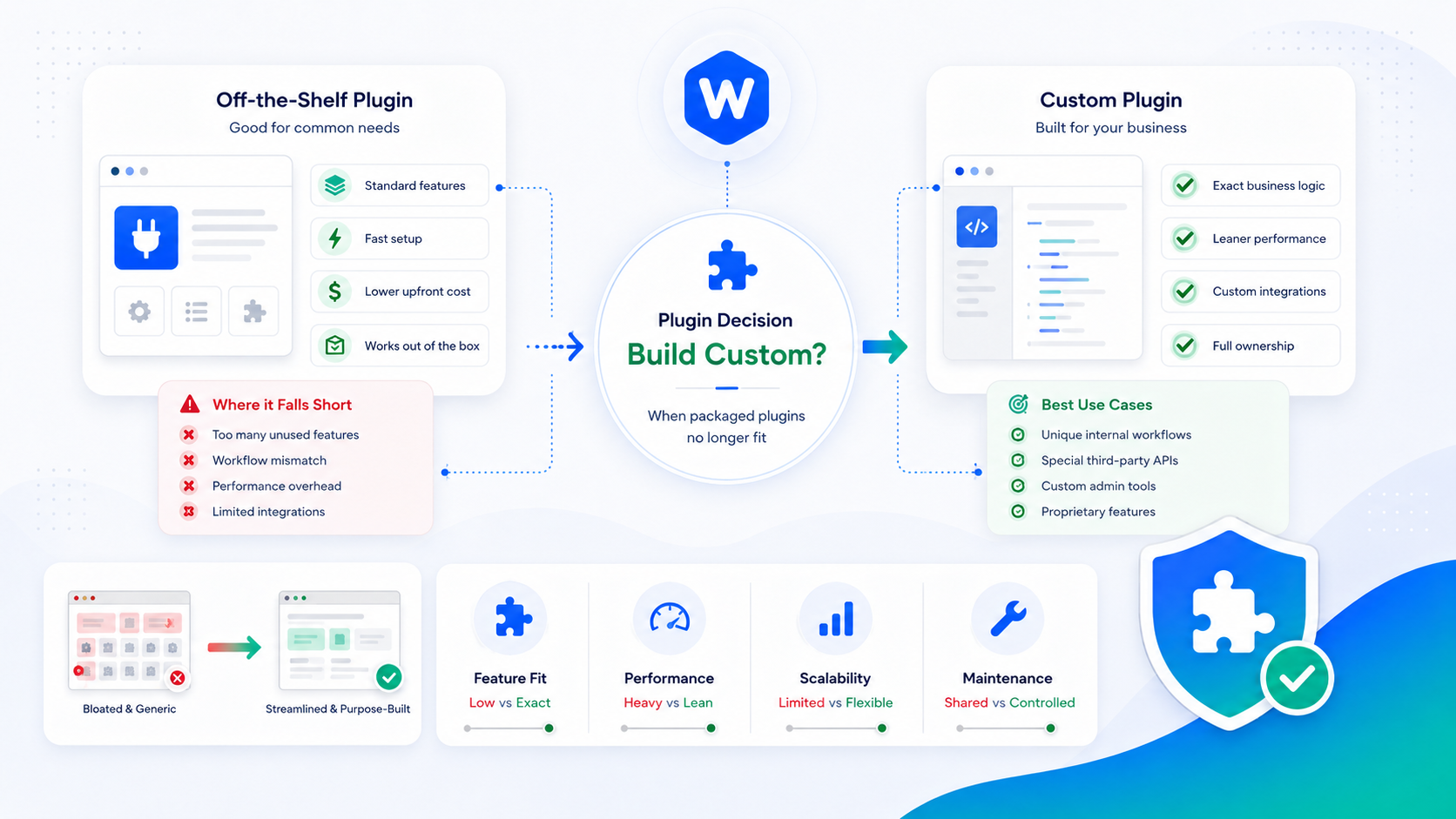
Should You Build a Custom WordPress Plugin? When Off-the-Shelf Falls Short
A decision framework for when a custom WordPress plugin beats stacking off-the-shelf plugins — covering cost, maintenance, performance, and long-term risk.
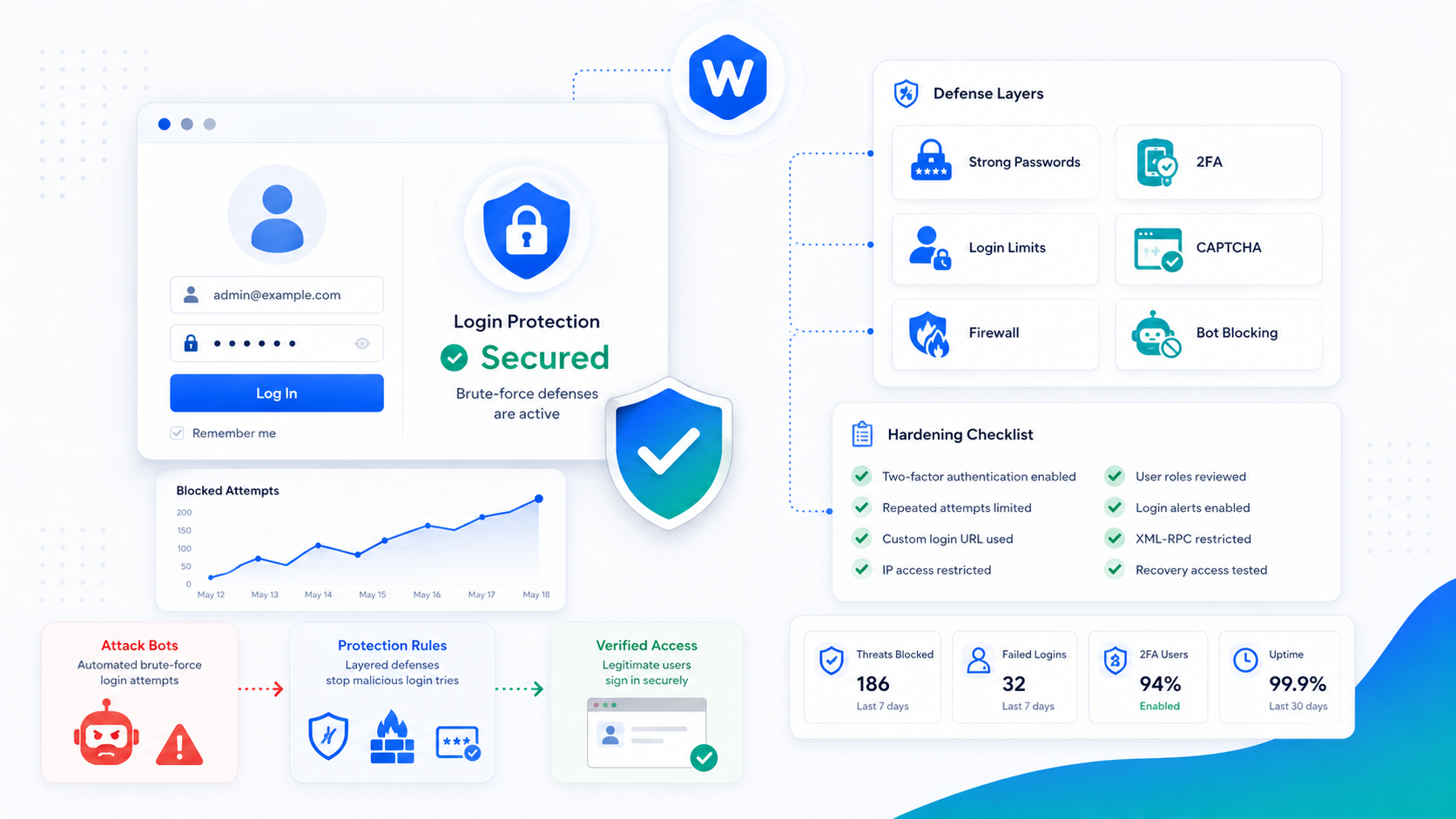
How to Harden WordPress Login Against Brute-Force Attacks
Brute-force attacks target the WordPress login page constantly. Here's how to harden wp-login.php with rate limiting, 2FA, and smart access controls.
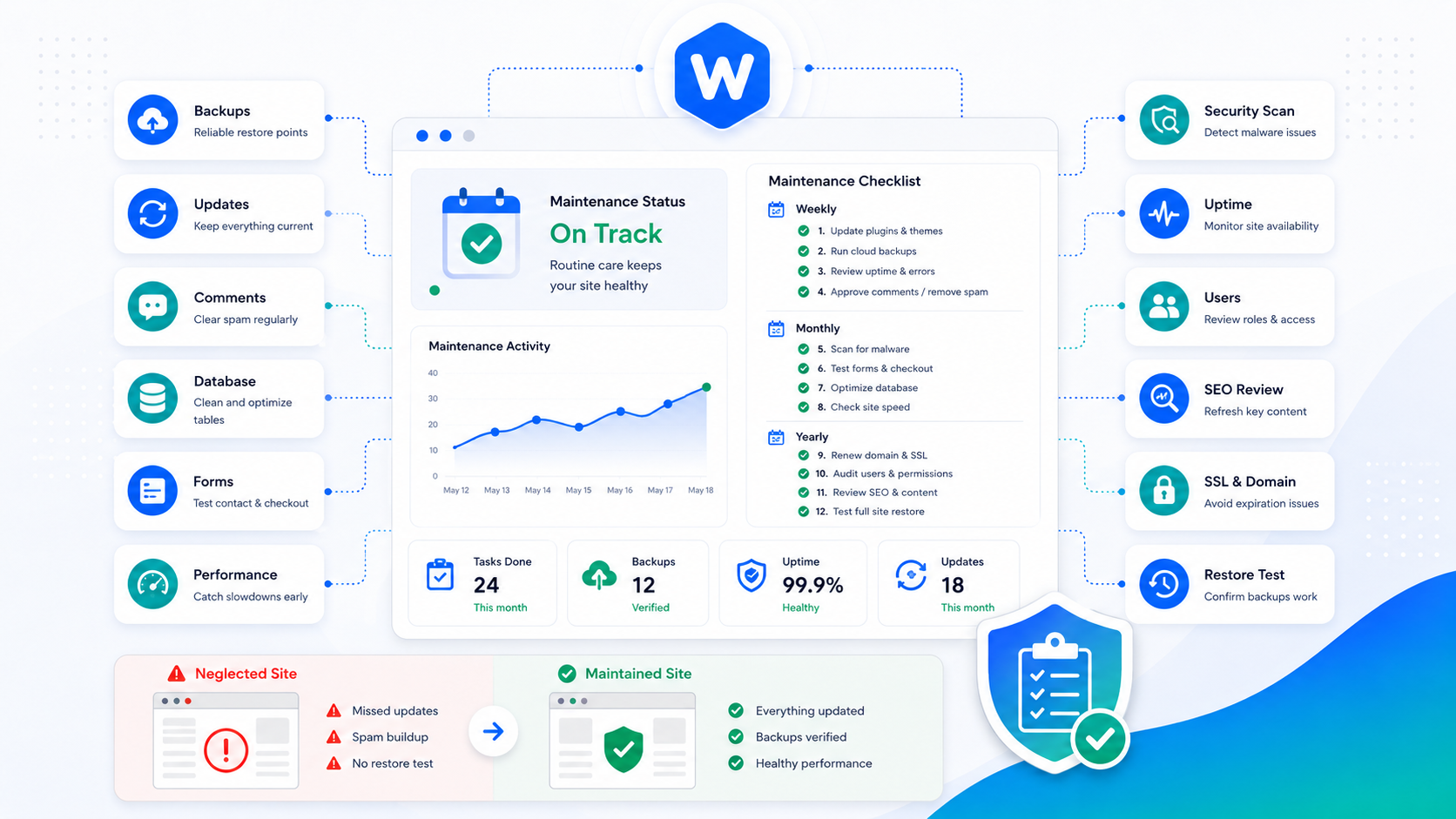
WordPress Maintenance Checklist: What to Do Weekly, Monthly & Yearly
A complete WordPress maintenance checklist organized by cadence — the tasks to run weekly, monthly, and yearly to keep your site fast, secure, and reliable.
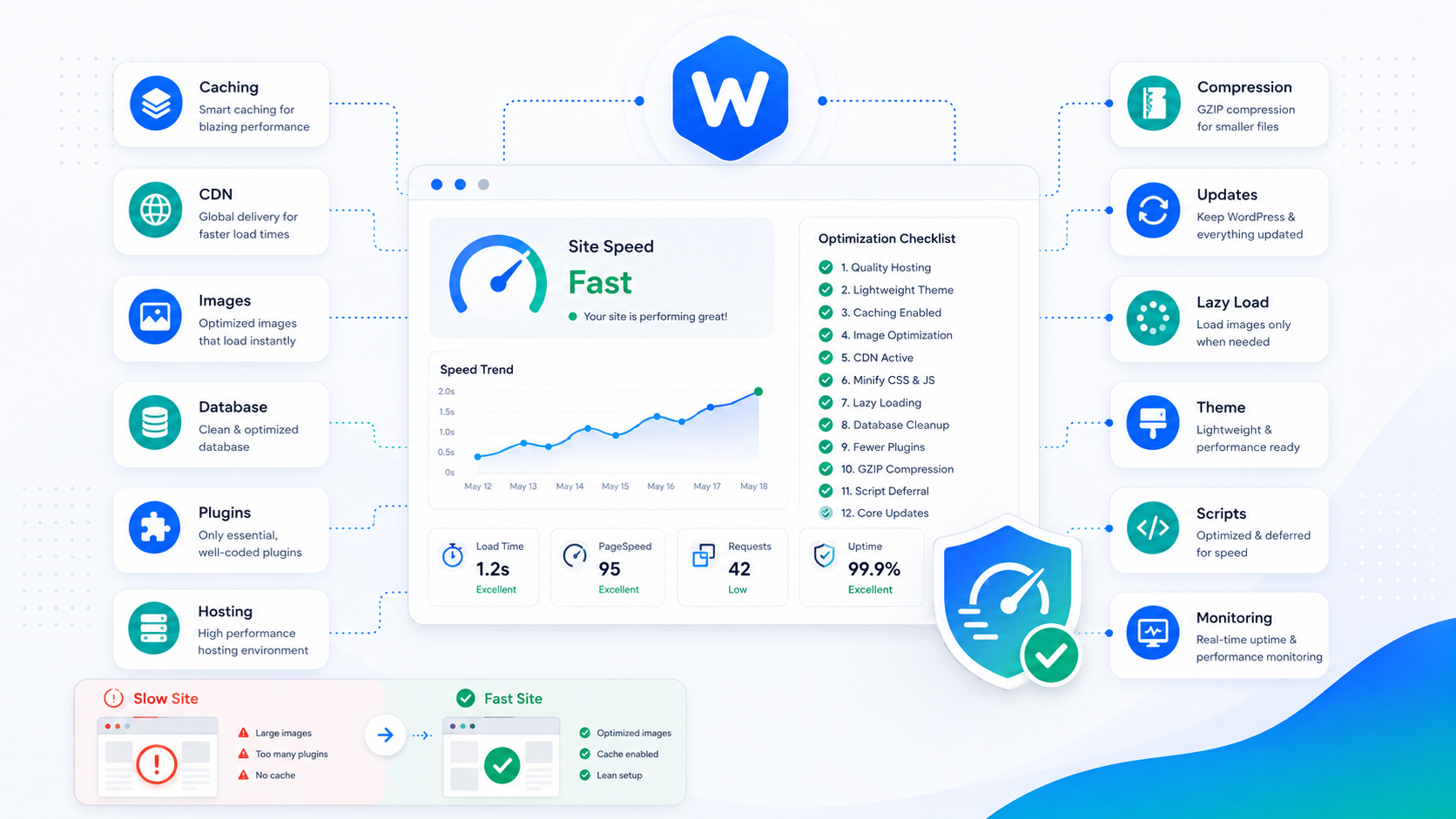
How to Speed Up WordPress: A 12-Point Checklist
A practical, prioritized checklist for speeding up any WordPress site — from caching and images to the database and hosting — with the highest-impact wins first.
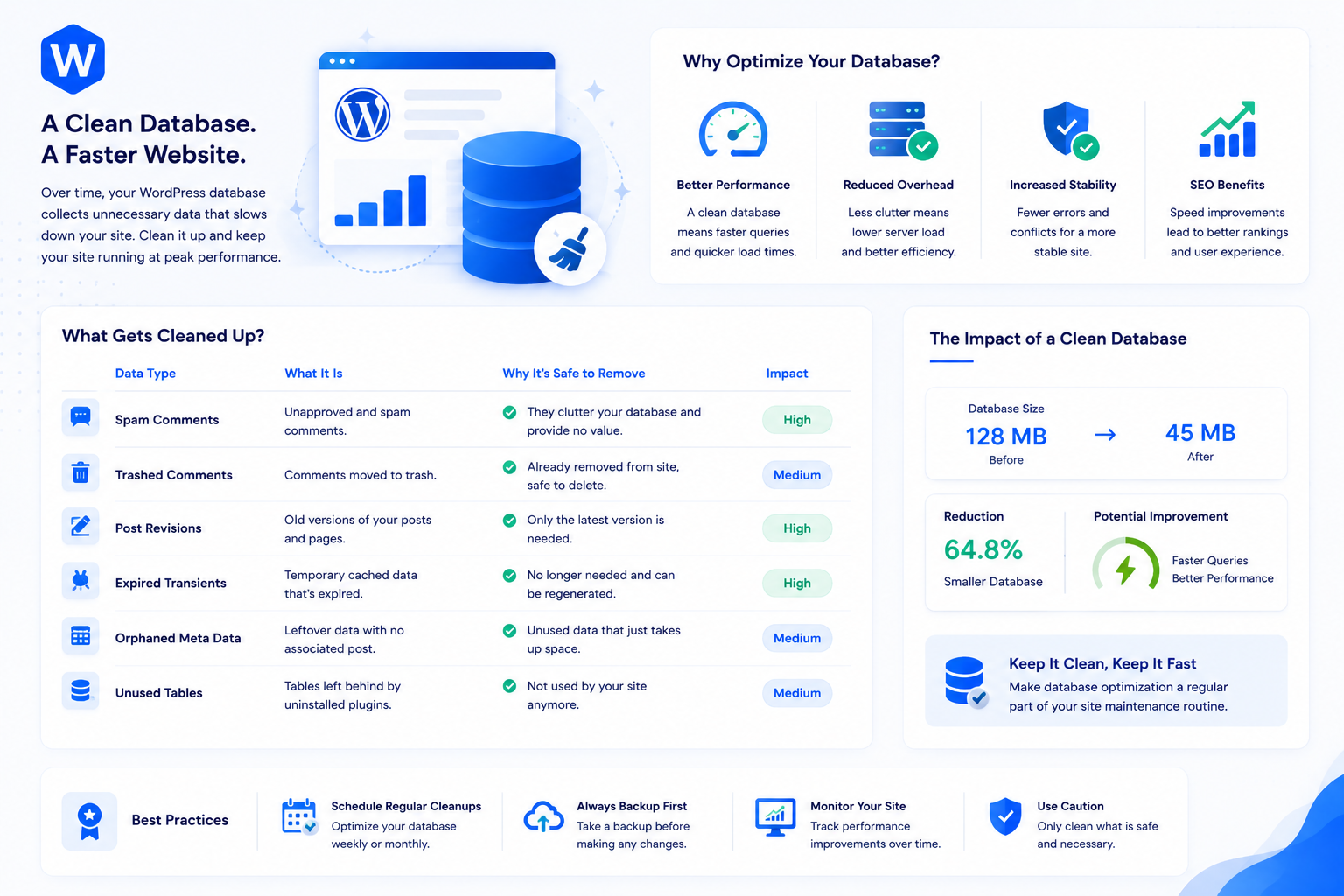
WordPress Database Optimization: Cleaning Up for Speed
A bloated WordPress database slows down queries and inflates autoload overhead. Here's how to identify and clean up revisions, transients, and orphaned data safely.
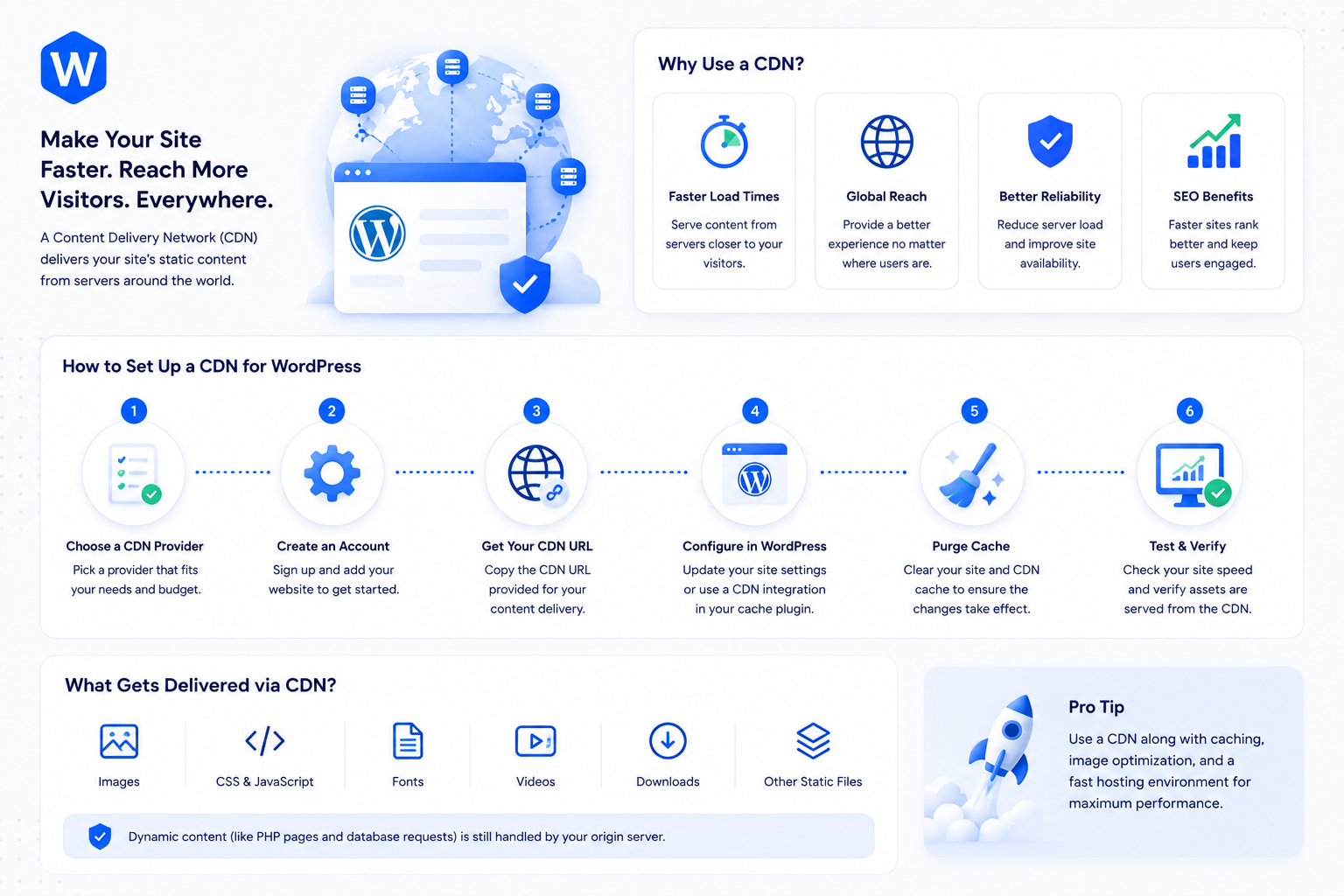
How to Set Up a CDN for WordPress (And Why It Matters)
A CDN delivers your WordPress assets from servers close to each visitor, cutting load times regardless of where your origin server is. Here's how to set one up.
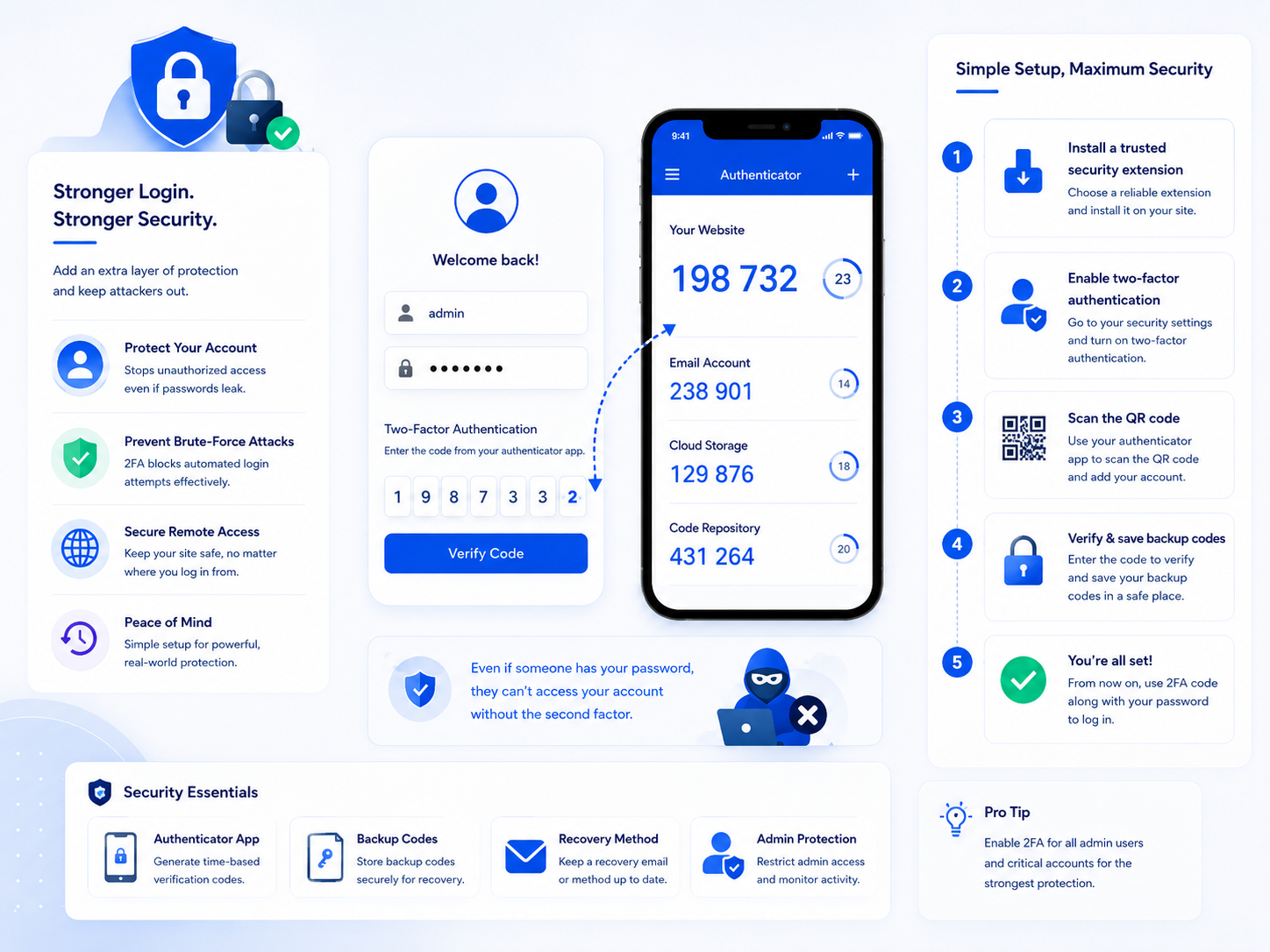
WordPress Two-Factor Authentication: Setup Guide
Two-factor authentication stops credential attacks cold. Here's how to set up TOTP-based 2FA on WordPress, enforce it for admin accounts, and manage backup codes.
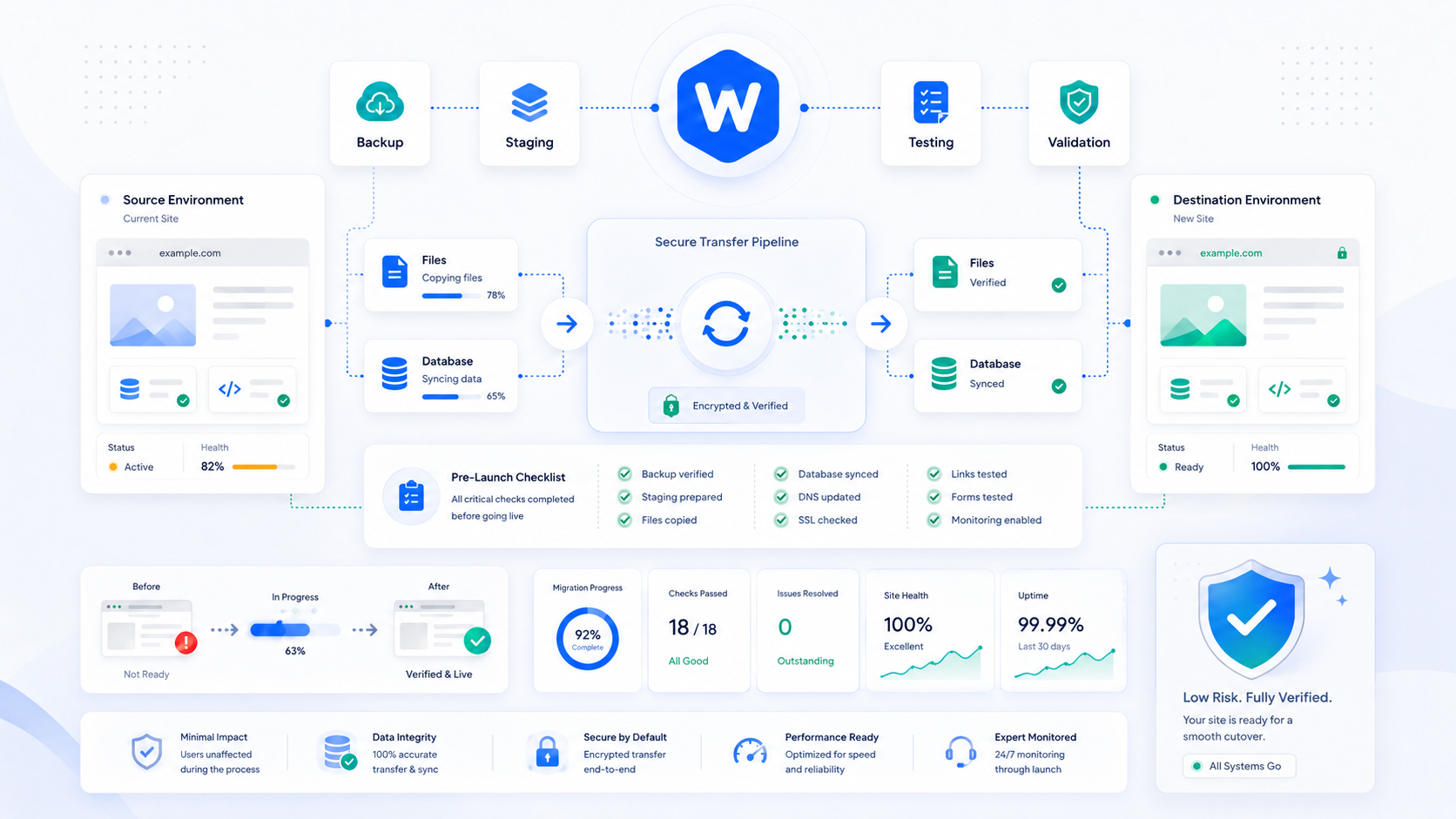
How to Migrate WordPress to a New Host Without Downtime
A step-by-step guide to migrating WordPress to a new host — moving files and the database, updating configuration, and cutting over DNS without taking your site offline.
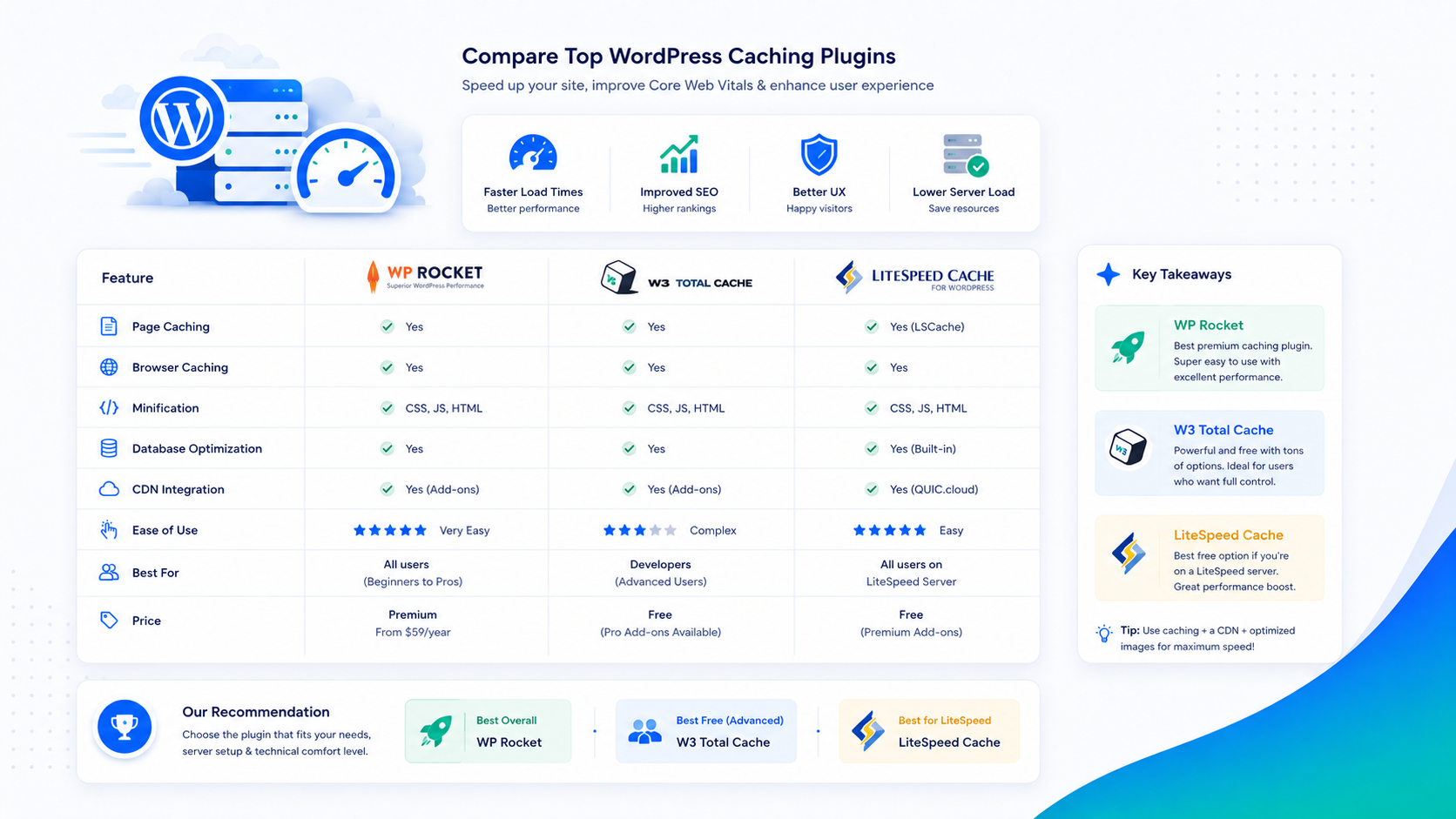
WordPress Caching: A Complete Guide to Page Cache, Object Cache & Browser Cache
Caching is the highest-impact WordPress performance lever — and the most misunderstood. Here's how each caching layer works, which tools to use, and how to configure them correctly.
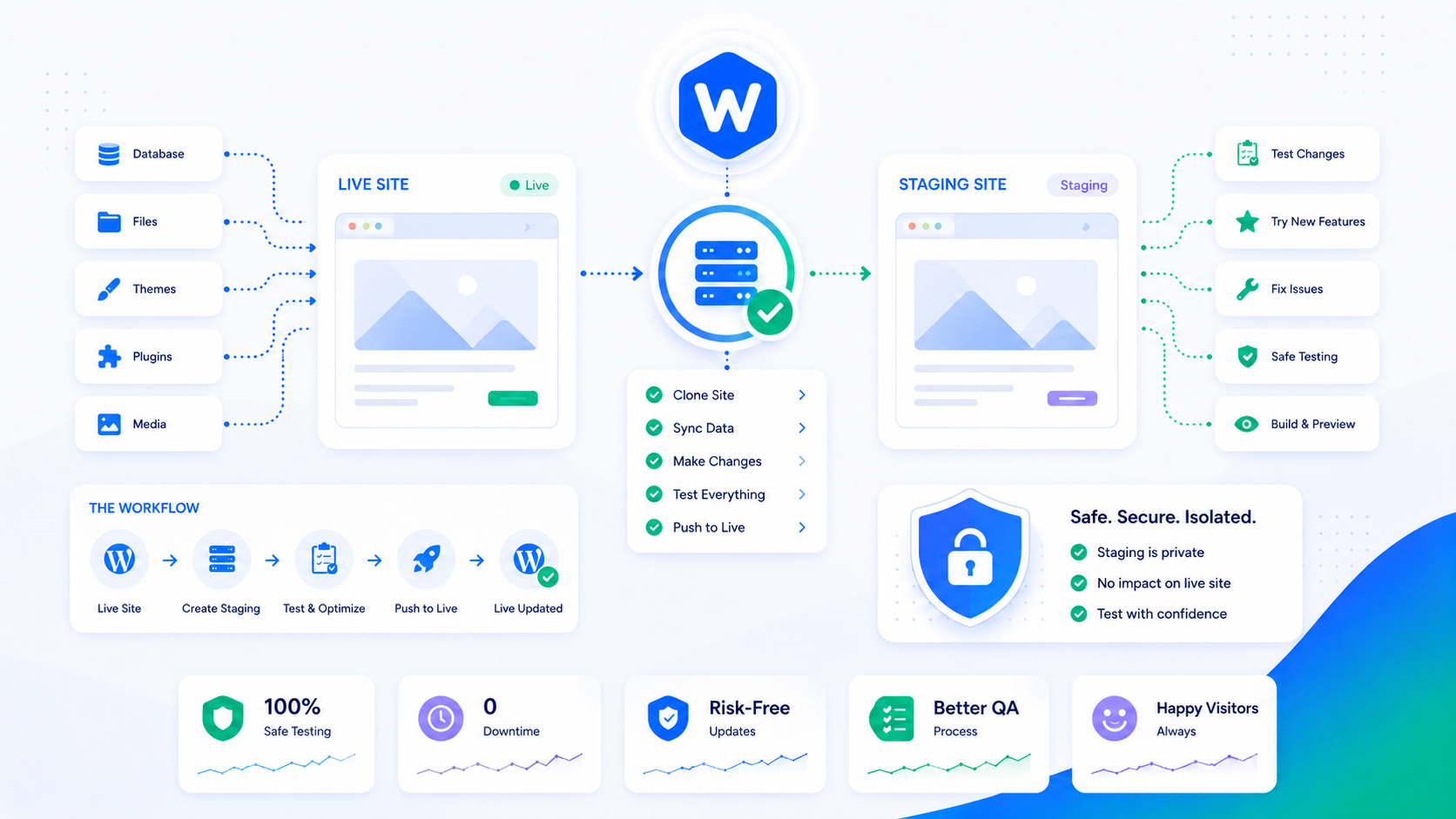
WordPress Staging Environment: How to Set One Up the Right Way
A WordPress staging environment lets you test updates, redesigns, and new plugins before they touch your live site. Here's how to set one up and actually use it.
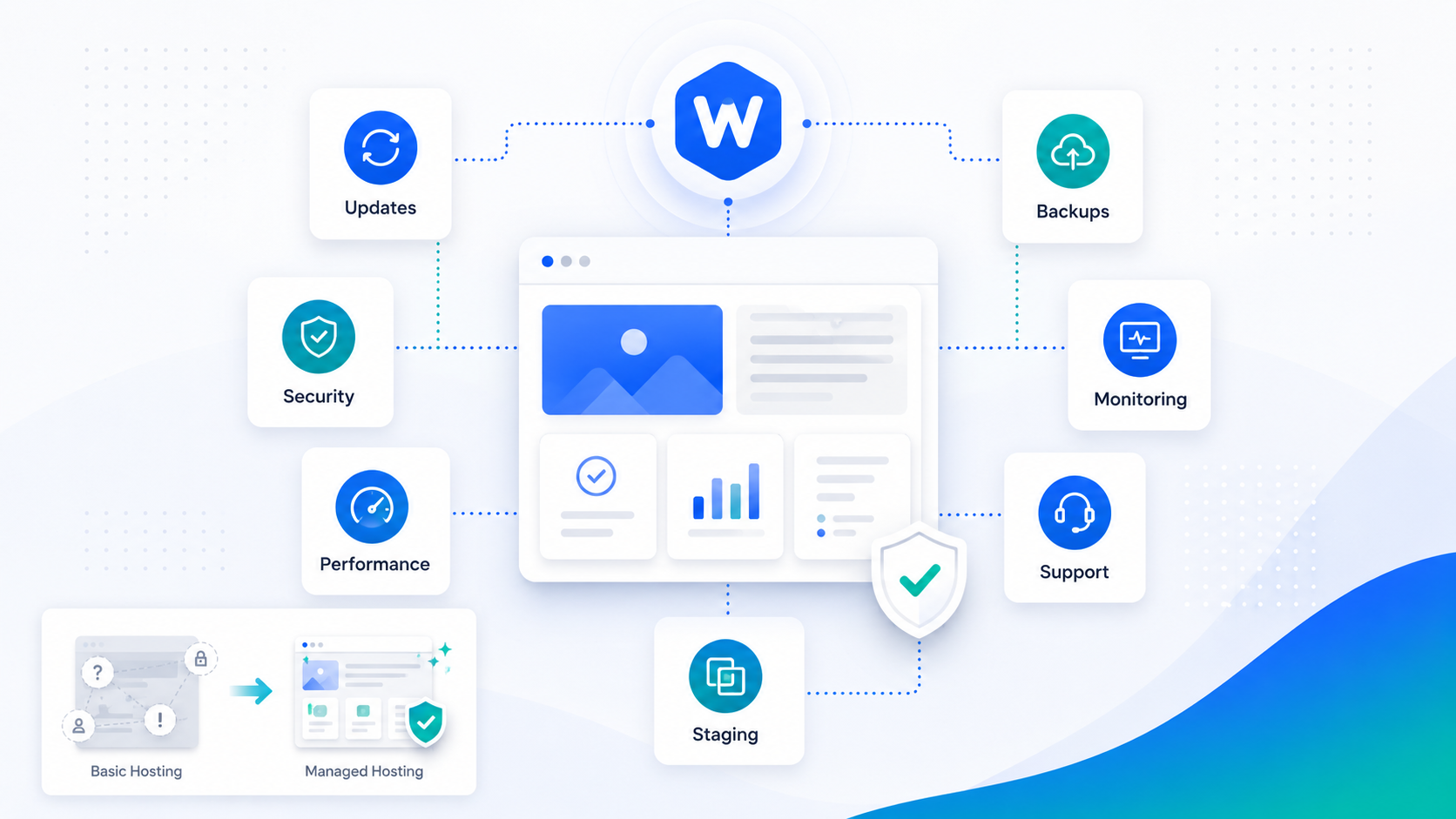
What Is Managed WordPress? A Plain-English Guide
Managed WordPress is an overloaded term. Here's what it actually means, what to look for in a provider, and whether it's right for your site.
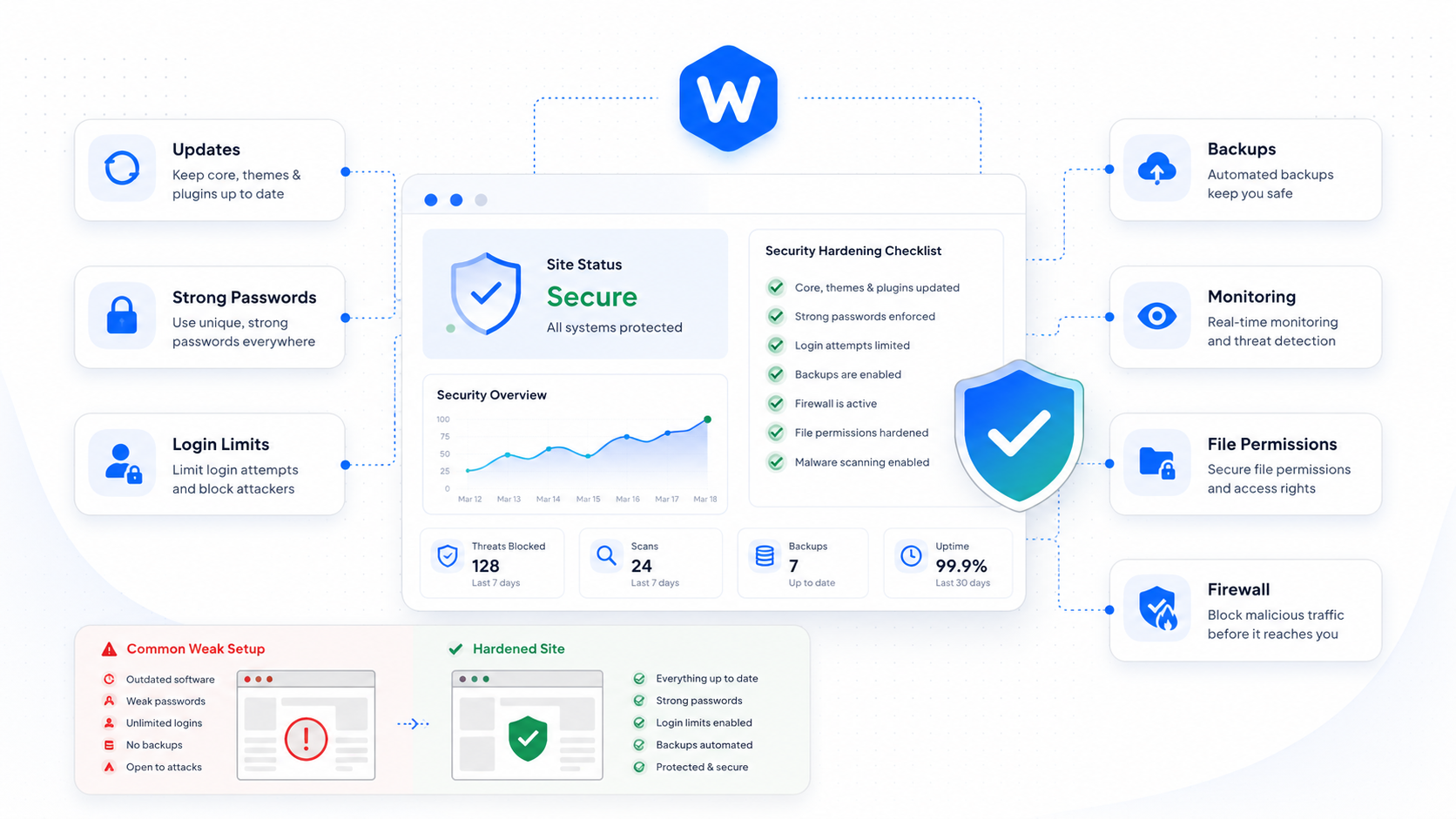
WordPress Security: A Practical Guide for Site Owners
A no-nonsense security guide covering the most common WordPress vulnerabilities, how attackers exploit them, and practical steps to lock down your site.
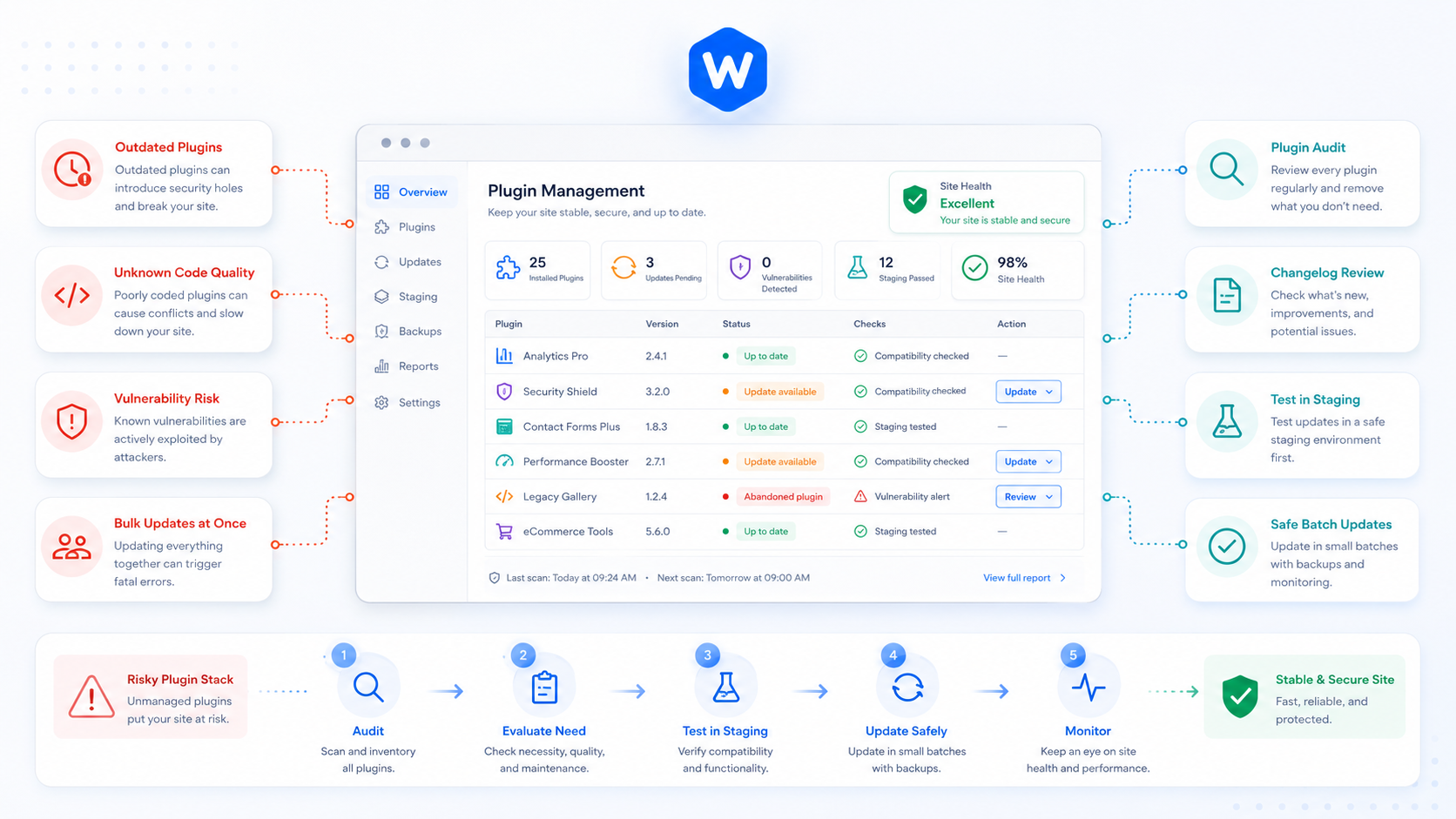
WordPress Plugin Management: How to Keep Your Site Stable and Secure
Plugins are the most common source of WordPress security vulnerabilities and update-related breakage. Here's how to manage them without constantly putting your site at risk.
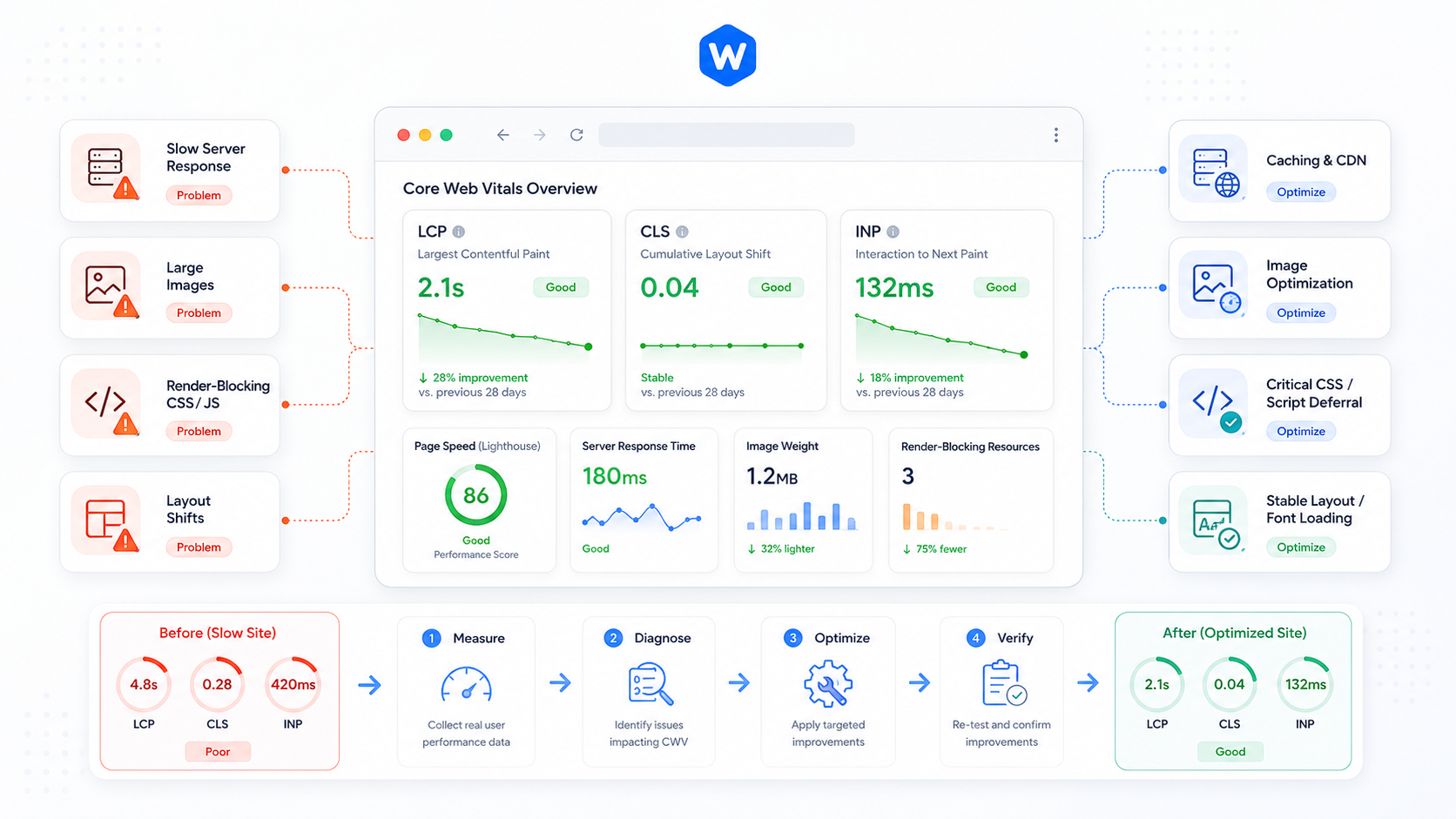
WordPress Performance: A Practical Guide to Core Web Vitals
Core Web Vitals are now a Google ranking factor. Here's what they actually measure, why most WordPress sites fail them, and how to fix the ones that matter.