
What Is Managed WordPress? A Plain-English Guide
Managed WordPress is an overloaded term. Here's what it actually means, what to look for in a provider, and whether it's right for your site.
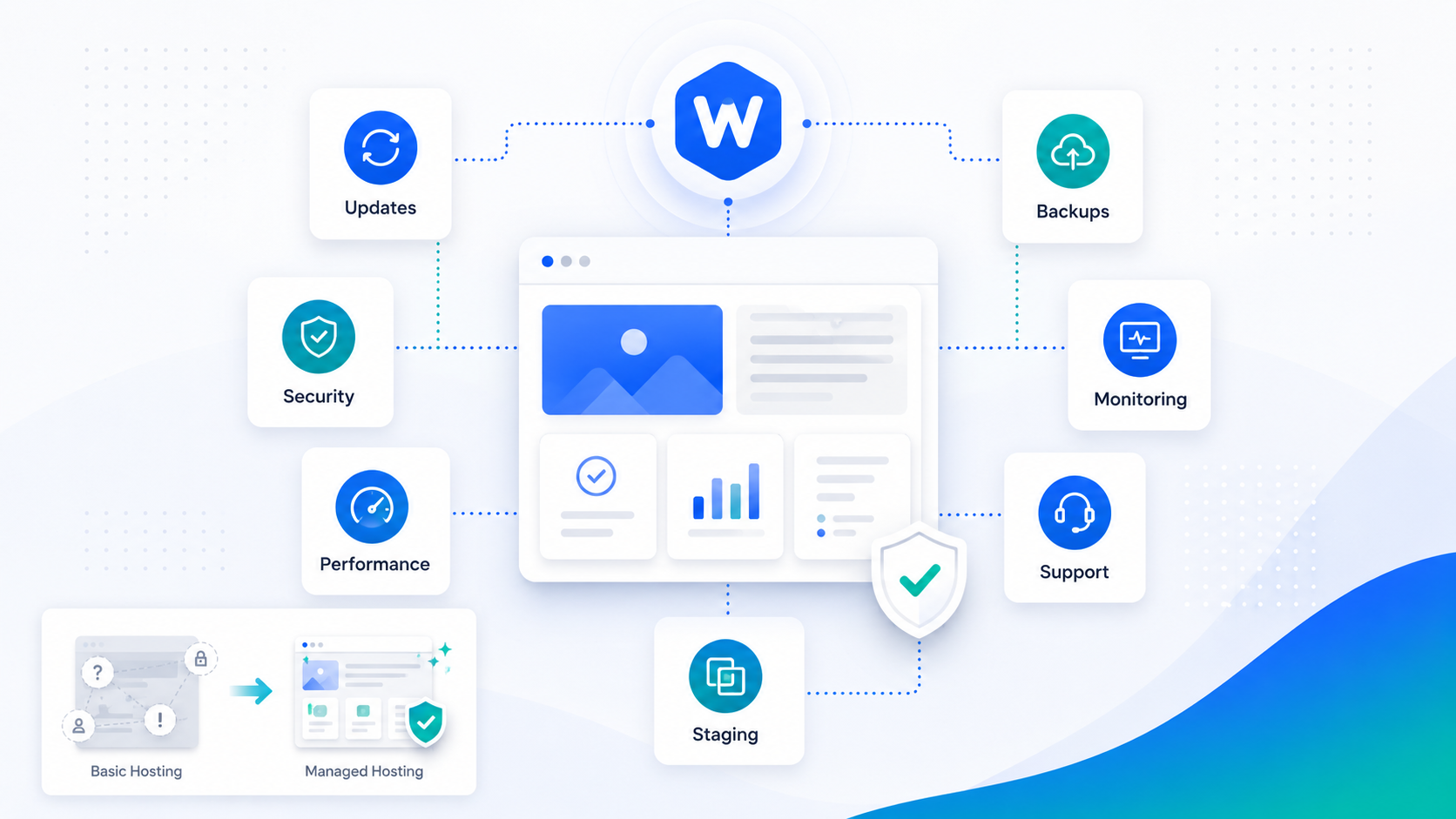
If you’ve spent any time shopping for WordPress hosting, you’ve encountered the phrase “managed WordPress” on dozens of provider websites. The problem is that it means something different everywhere you see it.
Some hosts call themselves managed because they run automatic updates. Others use it as a synonym for fast hosting. A few actually mean it — someone with real WordPress expertise is monitoring and maintaining your site.
This guide explains what managed WordPress actually means, what separates a genuine managed service from a marketing label, and how to evaluate whether it’s the right choice for your situation.
The baseline: what any managed WordPress host should do
At minimum, a managed WordPress provider should handle:
Automatic updates — WordPress core, themes, and plugins should be kept up to date. The key question is how: do they apply updates immediately to production, or do they test in staging first?
Automated backups — Daily backups with off-server storage and a tested restore process. “Backups run daily” doesn’t mean much if no one has ever actually tried to restore from one.
Security monitoring — Scanning for known vulnerabilities, malware, and configuration issues. Ideally, this runs daily and produces actionable results, not just reports.
Performance infrastructure — PHP optimized for WordPress, object caching, a CDN, and ideally a full-page caching layer.
Support — Some way to get help when something breaks.
That’s the baseline. The meaningful differences between providers come from how seriously each of these is taken.
Where most “managed” hosts fall short
Update strategy
The most common shortcut is applying updates directly to production without staging. This works most of the time, but when it doesn’t — when a plugin update breaks your site’s layout, or a theme update conflicts with a custom extension — the damage is already done.
A genuine managed WordPress service applies updates to a staging environment, runs automated checks, and only promotes to production after a review. This is table stakes for any site your business depends on.
Support quality
Managed hosting tiers often promise “priority support” that turns out to be a faster queue into the same tier-1 script readers. Priority support should mean an engineer who actually understands WordPress responds — not a support agent with a knowledge base.
Ask any prospective provider: if my site is down due to a plugin conflict, who investigates it? What’s the escalation path?
Visibility
Many managed hosts give you little visibility into what’s actually happening on your site. A genuine managed service should include a dashboard showing uptime history, security scan results, what was updated and when, and performance metrics over time.
What a full managed service looks like
A complete managed WordPress service goes beyond hosting infrastructure:
Staged updates with testing — Every update goes through staging with automated regression testing before production.
Active security response — When a vulnerability is found, it’s patched — not flagged and left for you to handle.
Performance management — Core Web Vitals are monitored, and the team investigates regressions. Configuration is tuned for your specific site, not a generic WordPress template.
Engineering on call — A WordPress engineer is reachable when something needs a human — not just a ticketing system.
Monthly reporting — Clear, readable summaries of what happened, what was done, and what’s coming up.
Is managed WordPress right for you?
Managed WordPress makes the most sense when:
- Your site generates revenue or drives business outcomes, so downtime is expensive
- You don’t have in-house WordPress engineering
- You’ve been burned by update breakages, security issues, or unreliable freelancers before
- You want to focus on your business, not your website infrastructure
It may not be necessary if you have a simple site with minimal traffic, an in-house developer who actively maintains it, or technical skills to handle maintenance yourself.
What to ask before you buy
Before committing to a managed WordPress provider, ask:
- How are updates applied? Is there a staging step?
- What does “support” actually mean — who responds, and how fast?
- What does my dashboard show, and how often is it updated?
- If my site is compromised, what happens?
- What’s the restore process if a backup is needed?
- Is migration included, and what does it involve?
The answers will quickly distinguish genuine managed services from marketing language.