
WordPress Web Application Firewall (WAF): Do You Need One?
A WAF blocks malicious requests before they reach WordPress. Here's what WAFs actually protect against, which options make sense for WordPress, and how to configure them.
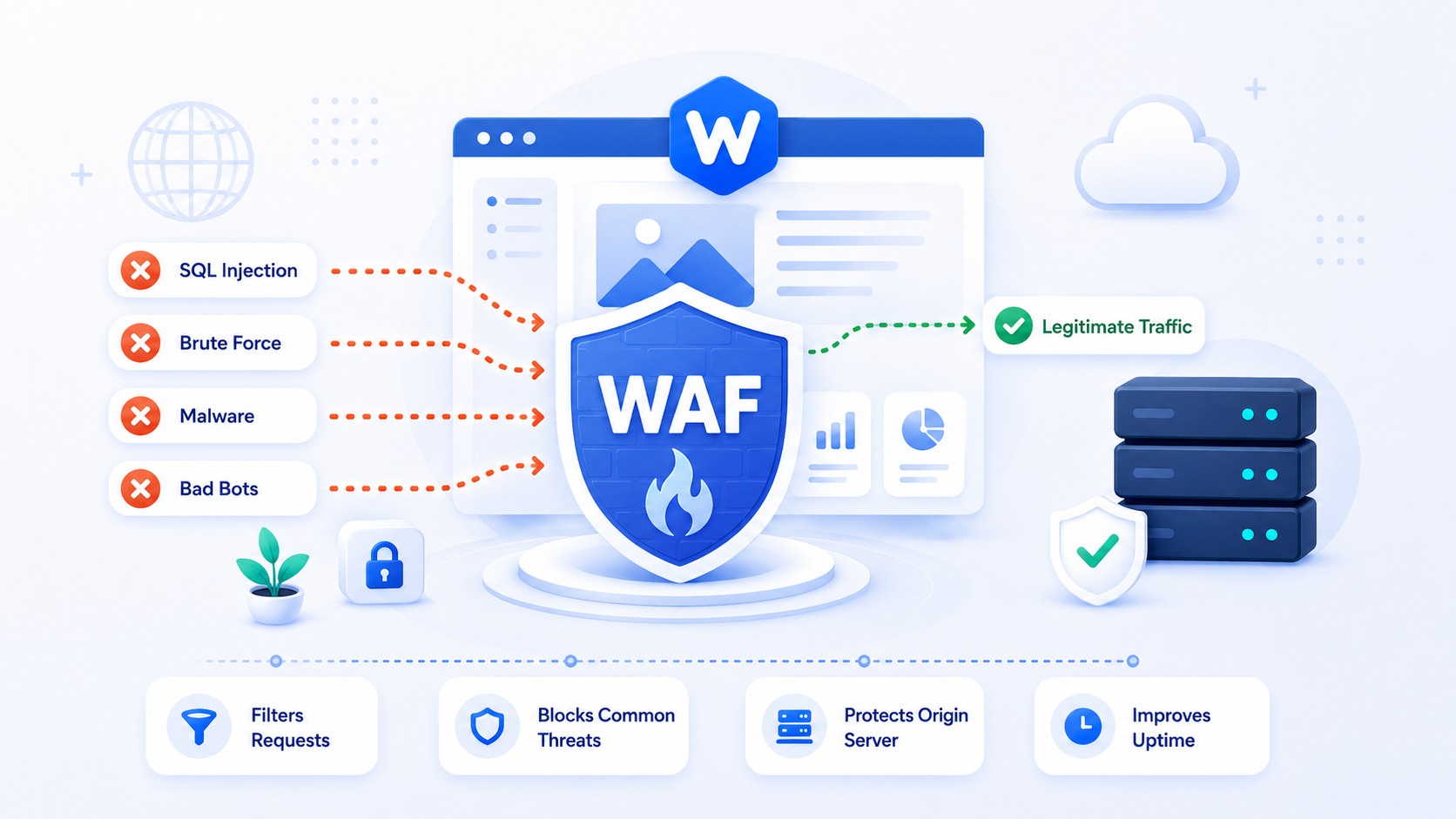
A web application firewall (WAF) inspects HTTP requests before they reach your WordPress application and blocks those that match malicious patterns: SQL injection attempts, cross-site scripting payloads, known exploit traffic, bot probing. A WAF is not a substitute for keeping WordPress updated and using strong credentials — but it adds a meaningful layer between the internet and your application.
This guide explains what a WAF does, the different approaches available for WordPress, and what to realistically expect from each.
What a WAF protects against
A WAF operates at the HTTP request layer, examining incoming requests for patterns that indicate attack traffic. It can block:
Exploit attempts against known vulnerabilities. When a new plugin vulnerability is disclosed, attack traffic typically starts within hours. A WAF with updated rules can block the exploit pattern for a vulnerability even before you’ve patched the plugin — buying time for a safer update.
SQL injection. Attempts to manipulate database queries by injecting SQL into user-supplied input. A WAF pattern-matches these payloads in URL parameters, form fields, and HTTP headers.
Cross-site scripting (XSS). Attempts to inject JavaScript into page content via input fields, comments, or URL parameters.
Automated scanning and probing. Vulnerability scanners and reconnaissance tools probe your site for exposed files, version information, and weak points. A WAF can block these probes by signature or rate limit them.
Credential stuffing and brute-force login. Rate limiting on wp-login.php at the WAF layer blocks authentication attacks before they consume PHP resources. (The login hardening guide covers dedicated login protection in more detail.)
What a WAF does not protect against:
- Vulnerabilities that don’t have matching rules yet
- Attacks that come from legitimate-looking traffic
- Logic vulnerabilities that require application context to detect
- Insider threats or compromised admin credentials
- Supply chain attacks (malicious code in plugins at the source)
A WAF reduces attack surface and buys time for patching. It doesn’t eliminate the need to keep WordPress updated.
Option 1: Cloudflare WAF (network-level)
Cloudflare’s WAF operates at the edge — malicious requests are blocked before they reach your origin server at all. The attack traffic never touches your WordPress installation, your PHP, or your database.
The free tier includes basic DDoS mitigation and some bot protection. The Pro tier ($20/month) adds the Cloudflare Managed Ruleset, which includes rules for common web application vulnerabilities (OWASP Top 10) and WordPress-specific rules. The Business tier adds the OWASP Core Rule Set and more granular controls.
For WordPress on Cloudflare Pro+, enable the Cloudflare Managed Ruleset and check whether the “WordPress” package of rules is available in your plan. These rules cover common WordPress attack patterns: wp-admin access control, xmlrpc.php abuse, and plugin-specific exploit patterns.
Cloudflare WAF advantages:
- Blocks traffic before it reaches your server (saves bandwidth, CPU)
- No server configuration required
- Managed rules are updated by Cloudflare’s security team
- Integrates with DDoS protection and CDN (you’re already using Cloudflare for CDN if you followed the CDN setup guide)
Cloudflare WAF disadvantages:
- Managed rules occasionally produce false positives on legitimate traffic (requires tuning)
- Full WAF features require a paid plan
- Cloudflare sees all your traffic (a privacy consideration for some deployments)
Option 2: Sucuri (managed WAF service)
Sucuri is a security vendor that provides a fully managed WAF and CDN service. Like Cloudflare, Sucuri proxies your traffic through its network and blocks malicious requests at the edge.
Sucuri’s differentiator is the managed security operations behind the rules: their team monitors threat intelligence, updates WAF rules in response to new WordPress vulnerabilities, and provides incident response support if a site is compromised. The service starts around $200/year.
Sucuri is worth evaluating for sites where:
- You want a managed security service rather than a self-configured product
- You need malware removal guarantees as part of the service level
- You’re operating in a higher-risk context (healthcare, finance, e-commerce with cardholder data)
Option 3: Plugin-based WAF (Wordfence)
Wordfence is the most widely deployed WordPress security plugin. Its WAF component operates at the PHP level — inside WordPress, after the web server has received the request. The plugin inspects requests and blocks malicious ones before WordPress processes them fully.
Wordfence is free with a basic rule set; the premium tier ($119/year) provides real-time threat intelligence and rules that match Wordfence’s threat feed immediately rather than after a 30-day delay.
Plugin-based WAF advantages:
- Easy setup — install like any WordPress plugin
- No DNS changes required
- Application-level context (knows which WordPress user is making the request)
- Built-in malware scanning and login protection
Plugin-based WAF disadvantages:
- PHP still starts up for every blocked request — server resources are consumed even by blocked traffic
- Less effective against volumetric attacks (a DDoS that overwhelms your server still overwhelms it, even if Wordfence blocks individual requests)
- The WAF runs within WordPress, so exploits that bypass WordPress initialization bypass the WAF too
For high-volume attacks, a network-level WAF (Cloudflare, Sucuri) is significantly more efficient than a plugin-based WAF. A plugin that blocks 10,000 malicious requests still runs PHP 10,000 times.
WAF rules and false positives
Every WAF produces false positives — legitimate requests that match malicious patterns and get blocked. A WordPress user who posts a comment containing a code snippet might trigger an XSS rule. A contact form that accepts URLs might trigger a rule designed to catch SQL injection.
When implementing a WAF:
- Start in monitoring/logging mode rather than blocking mode — observe what would be blocked
- Review logged requests for false positives before enabling blocking
- Whitelist specific rules that fire on legitimate traffic from your known users
- Check WAF logs after any reported site malfunction — a blocked legitimate request is a support issue that looks like a site bug
Cloudflare’s Security Events log shows which rules fired on which requests. Review it after enabling new rulesets and after any reports of forms or features not working.
Combining WAF layers
The most robust configuration uses both network-level and application-level protection:
- Cloudflare (network): blocks known malicious IPs, DDoS, and broad attack patterns at the edge
- Wordfence (application): provides WordPress-specific rules, file integrity monitoring, and login protection at the application layer
The layers don’t conflict — they catch different things. Cloudflare blocks traffic before it reaches your server; Wordfence catches what gets through at the WordPress level. The security guide covers the full security baseline these layers fit into.